


Small Business Internet
RoamPlug and NomadVIZ E2 Dual: A Food Truck WiFi, POS, and Camera Setup
Food trucks, street stands, and flea market booths run like small storefronts, except the storefront keeps moving. Payments, staff messages, menu tools, and camera monitoring all need a connection plan before the rush starts.
In this article
- Why mobile vendors need WiFi and monitoring together
- How RoamPlug creates the on-site WiFi connection
- How NomadVIZ E2 Dual covers inside and outside views
- Remote playback and AI activity alerts
- Setup examples for food trucks, street stands, and flea markets
- A quick checklist before opening
Why mobile vendors need both connection and visibility
A busy vendor day can break in small ways. A card reader drops offline. A POS tablet loses sync. A staff phone is tied up as a hotspot. Someone needs to check the pickup shelf while another person is taking orders. None of these problems is dramatic by itself, but together they slow down the line.
RoamPlug and NomadVIZ E2 Dual are a practical pair for this kind of environment. RoamPlug handles the network layer once it is plugged in and powered. NomadVIZ E2 Dual adds camera visibility for areas the team cannot watch all the time. Actual performance may vary by location, cellular coverage, signal strength, crowd density, power setup, device placement, and local network conditions.
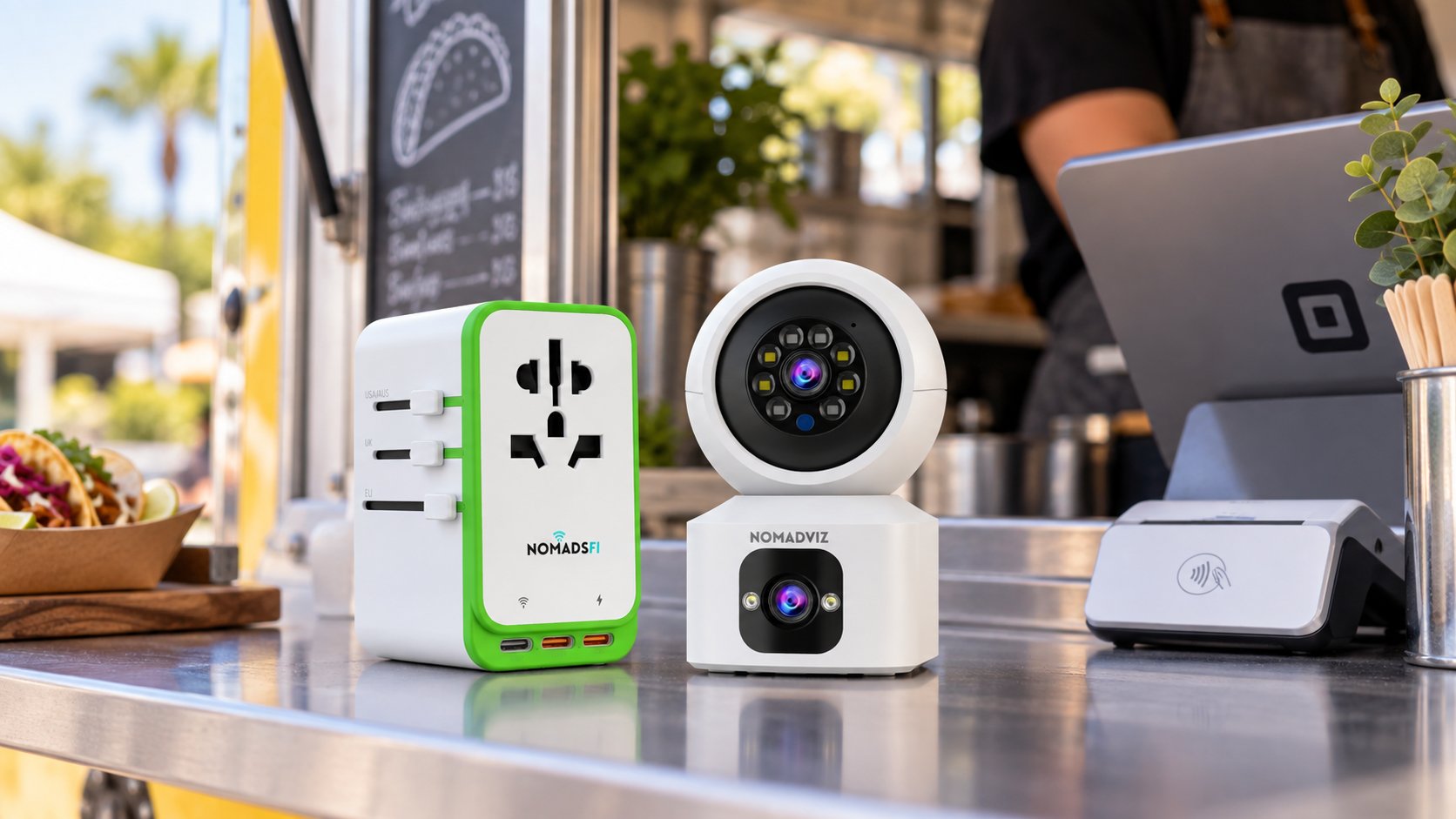
How RoamPlug creates WiFi for POS and camera devices
RoamPlug is useful because it fits the way mobile vendors already work. It plugs into a wall outlet or power strip, powers on, and creates a WiFi connection for the devices around the counter. The same setup can support a POS tablet, contactless card reader, staff phone, and NomadVIZ E2 Dual camera when coverage and plan conditions allow.
The product shape matters in real setups. RoamPlug has a compact white body, green bumper, universal socket face, side plug sliders, and ports for connected devices. When it is powered, the blue indicator and WiFi signal become the center of the booth's local connection plan.
- POS tablets can stay connected during order taking and checkout.
- Card readers can use the same local connection instead of depending only on venue WiFi.
- Staff phones can receive messages, order updates, maps, and delivery app notifications.
- NomadVIZ E2 Dual can connect over WiFi for monitoring and playback.
How NomadVIZ E2 Dual covers inside and outside views
NomadVIZ E2 Dual is designed around two views. In a vendor setup, that can mean one view inside the truck and one view outside the truck. The camera can be mounted under an awning or ceiling with its base fixed above and the round lens aimed downward, so the working area stays in frame without taking up counter space.
One lens can watch the prep area, cash drawer, or pickup shelf. The other can watch the customer line, front counter, or nearby inventory table. That split view is helpful because a food truck or market booth rarely has one perfect viewing angle.
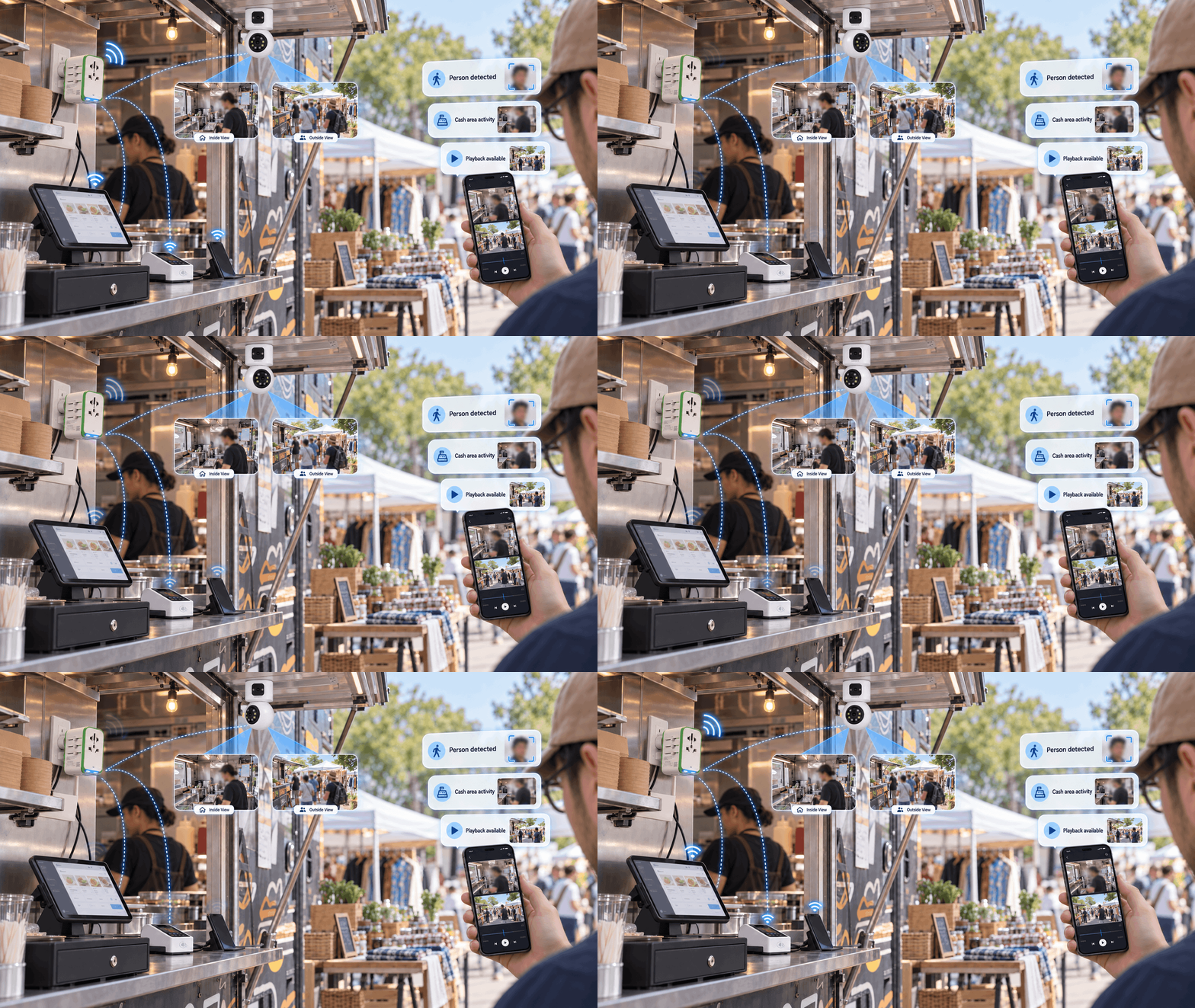
Remote playback and AI activity alerts
When the owner is away from the truck or checking another booth, remote playback can make the camera feed more useful. The owner can review the pickup shelf, register area, or inventory table from a phone or laptop after a busy moment.
AI human detection can surface activity around sensitive areas such as the cash drawer or side table. Alert bubbles such as "Person detected," "Cash area activity," and "Playback available" are best treated as review prompts. They help the owner decide where to look first, without claiming the system has identified a specific person or confirmed what happened.
If a face appears in playback, the safest use is operational review: check the clip, understand the context, and follow local privacy rules and venue policies. This keeps the feature useful for small businesses without overstating what camera alerts can prove.
Setup examples
Food truck lunch rush
RoamPlug can sit near the counter or plug into the truck's outlet, creating WiFi for the POS tablet, card reader, staff phone, and camera. NomadVIZ E2 Dual can be mounted under the awning so one view covers the inside prep or cash area while the other covers the pickup window.
Street stand or sidewalk booth
A compact stand often has limited space and limited infrastructure. RoamPlug keeps the connection centered around the booth instead of around the owner's phone. NomadVIZ E2 Dual can watch the table edge and the area behind the seller when placement, power, and WiFi are available.
Flea market or weekend pop-up
Markets can be crowded and unpredictable. A portable WiFi setup helps the booth stay prepared for checkout and staff communication. A dual-view camera helps the owner review inventory tables, browsing periods, and the register area after the rush.
Vendor checklist before opening
- Plug in RoamPlug and confirm the powered-on indicator before opening.
- Connect the POS tablet, card reader, staff phone, and camera to the same WiFi setup.
- Place RoamPlug where signal and device reach are both practical.
- Mount NomadVIZ E2 Dual with the base fixed securely and the round lens aimed down toward useful coverage areas.
- Check both camera views: inside prep or cash area, plus outside pickup or inventory area.
- Use AI alerts and playback as review tools, not as automatic conclusions.
- Keep a backup plan for important payment windows because coverage and speed may vary.
Build a vendor-ready connection and monitoring kit
Pair RoamPlug WiFi with NomadVIZ E2 Dual monitoring for food trucks, street vending, pop-up retail, and flea market booths where cellular coverage is available.
Talk to NomadsFiFAQ
How does RoamPlug help a food truck or pop-up booth?
RoamPlug can act as the on-site WiFi connection point after it is powered, helping POS tablets, card readers, staff phones, and connected cameras stay on one network where cellular coverage is available.
Can NomadVIZ E2 Dual monitor both inside and outside a truck?
Yes. The two-lens design can be positioned so one view covers an inside prep or cash area while the other view covers the pickup window, customer line, or nearby inventory area, depending on placement and WiFi connection.
Can NomadVIZ E2 Dual be mounted upside down?
NomadVIZ E2 Dual can be shown in an upside-down vendor setup with its base fixed to the ceiling or awning and the round lens aimed downward toward the working area.
What should AI human detection alerts be used for?
AI human detection alerts should help owners notice activity and review playback. They should not be treated as automatic identity confirmation or proof of what happened.