
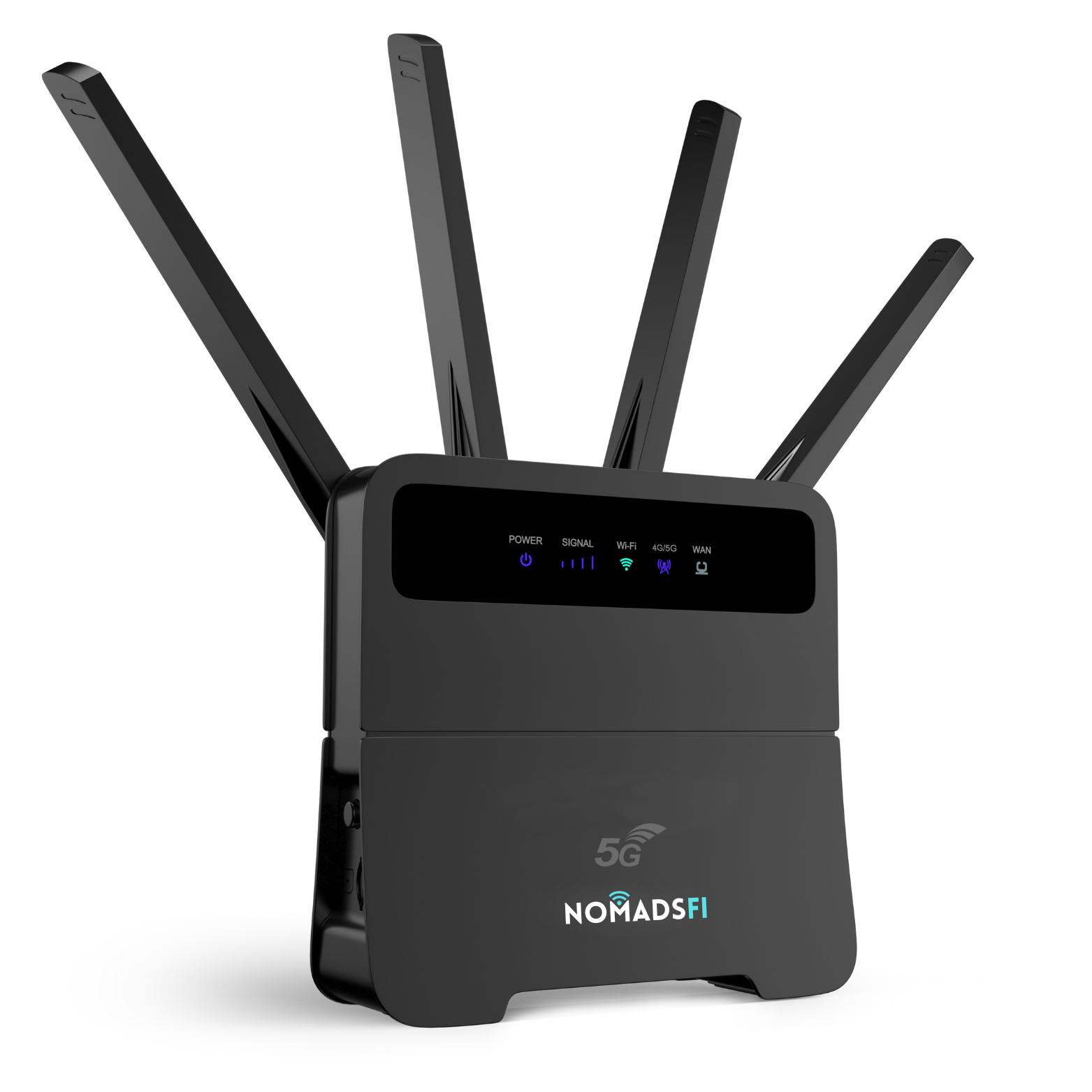

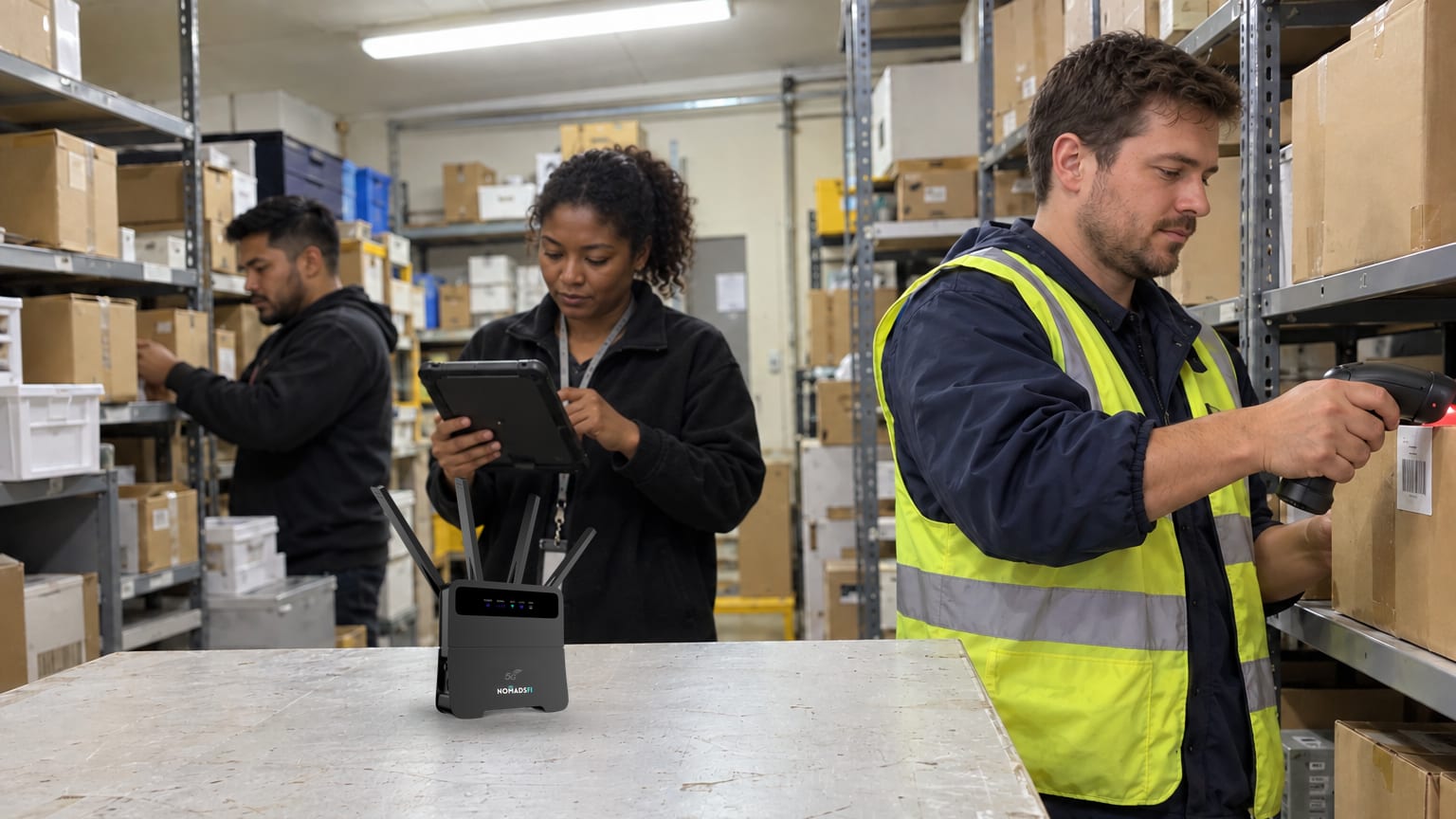
The scanner beeps, but the supervisor's dashboard still shows the old quantity. Before anyone sends a worker back to count the shelf again, someone needs to check whether the record uploaded. That is a practical starting point for warehouse inventory WiFi: can the team tell which counts reached the system and which are still waiting?
An anonymized inventory-service case describes a practical arrangement: handheld scanners share a UCL CloudSIM R4 Pro router, while supervisors review reports on computers and tablets. It is a useful starting point for planning portable inventory scanner connectivity across changing sites.
For a warehouse manager, an inventory-service team or a third-party logistics (3PL) operator, the connection needs to fit the count. This guide covers temporary counting stations, global warehouse WiFi planning and backup internet, including where a NomadsFi router may fit. Your inventory software remains responsible for recording quantities and validating entries.
Case basis: anonymized case information shared with NomadsFi. The customer's identity is withheld. Its figures are project claims, not a current retail quote or an independently verified performance study. Deployment recommendations in this article are proposed practices. Actual performance may vary with the site, supported network, equipment and plan.
What does a warehouse inventory WiFi setup need?
Warehouse inventory WiFi connects compatible scanners and supervisor devices to the counting system. A cellular router can provide internet access for a temporary counting zone or a tested backup connection. For a large warehouse or an international rollout, check aisle coverage, local cellular service and application recovery at each site before assigning the kit to a live count.
An inventory-service case: shared connectivity for a counting team
The case material places the router between the scanning team and supervisor reporting. It identifies a maximum of 31 scanners and describes customizable WiFi credentials, CloudSIM service and network selection. It also presents an international coverage footprint and a low per-scanner data-cost example.
| Case detail | What to confirm for your warehouse |
|---|---|
| Up to 31 scanners | Confirm the exact device limit and whether supervisor devices share that allowance. Test simultaneous use; this is not a building-wide coverage rating. |
| As low as 5 cents per scanner per month | The case material labels this as data cost. Currency, usage allowance, minimum commitment and hardware costs are not specified. Request a current itemized quote. |
| 150+ countries and 300+ carriers | These are the case material's coverage claims. Confirm the exact router, eligible destinations and networks in the proposed plan. |
| Three major U.S. carriers | The case material does not name them. Ask which networks the actual enterprise package permits at each site. |
| AI network selection | Ask how selection works and test reconnection. The label does not establish uninterrupted sessions or simultaneous network bonding. |
A shared kit could simplify equipment preparation between assignments. The case contains no measured error reduction, verified savings percentage or uptime result, so those outcomes belong in the pilot's acceptance criteria.
How WiFi for barcode scanners supports the count
A useful design starts with one test item. The operator scans its barcode, records the quantity and assigns the warehouse location in the counting app. The app sends the record through the approved network to the inventory service. A supervisor checks that the expected item, location and quantity arrived.
- The scanner and counting app record an entry.
- A compatible device joins the router's local WiFi.
- The router sends application traffic through supported cellular service.
- The inventory platform acknowledges receipt and updates its reporting view.
The record needs context as well as a connection. GS1 US explains that EPCIS structures supply-chain events around what happened, when and where it happened, and its business context. For your counting pilot, check the item identifier, warehouse location, quantity and timestamp in the destination system. Those checks are our deployment recommendation; using a router does not make an application EPCIS-compatible.
Keep the two network links separate when troubleshooting. A scanner may have a strong WiFi connection to the router while the router has poor cellular reception. It may also have a good internet connection while the inventory platform is unavailable. The scanner's WiFi icon alone cannot confirm that a count was saved centrally.
For the pilot, distinguish a locally saved record, an upload awaiting confirmation and a centrally accepted record. Ask your software provider how these states are displayed. This is an application requirement, not a feature supplied automatically by a WiFi router.
NomadsFi 5G and 4G routers for warehouse WiFi
Start with the site's reception and the counting application's requirements. The two NomadsFi products below are options for a new deployment, not a claim that they are the same hardware used in the anonymized case.
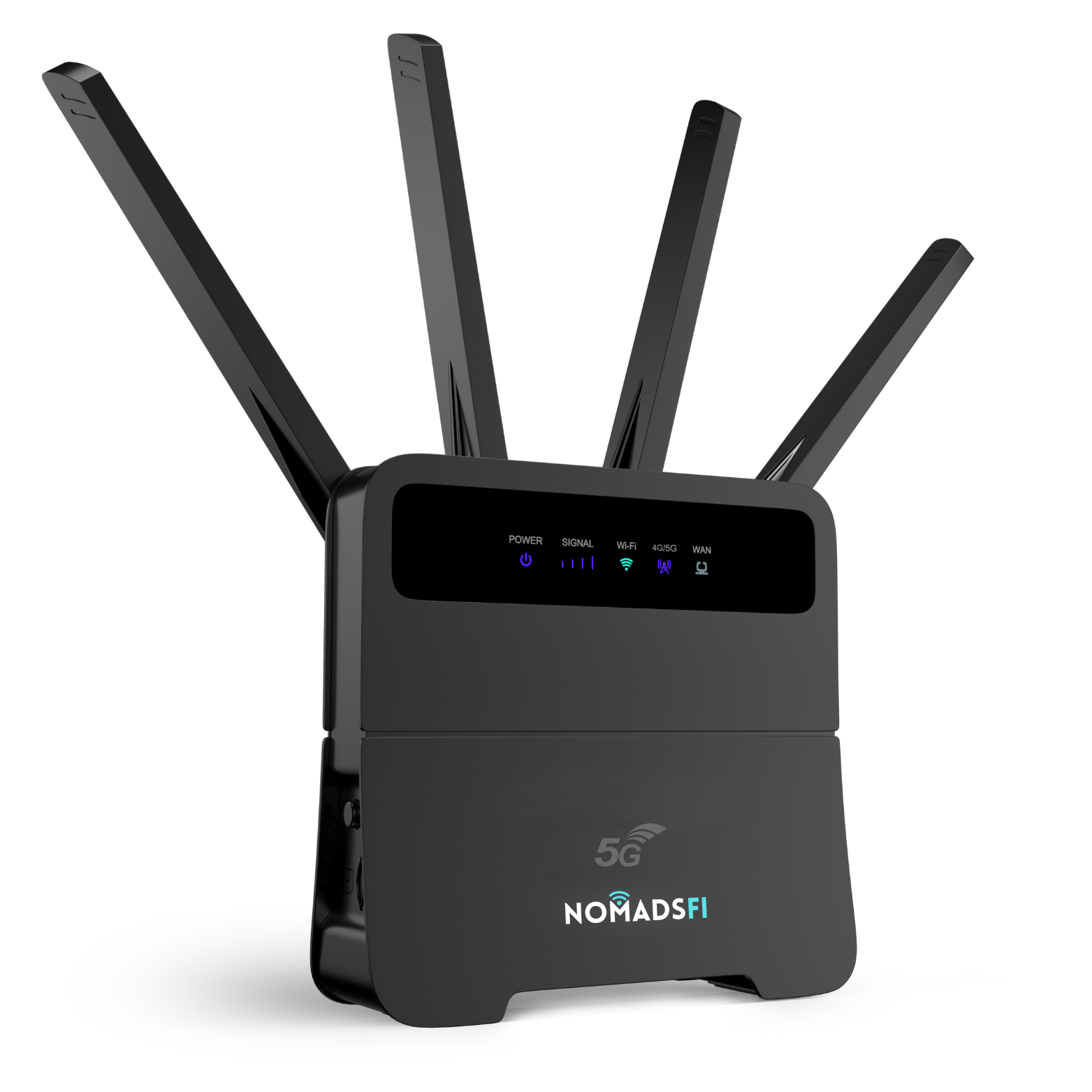
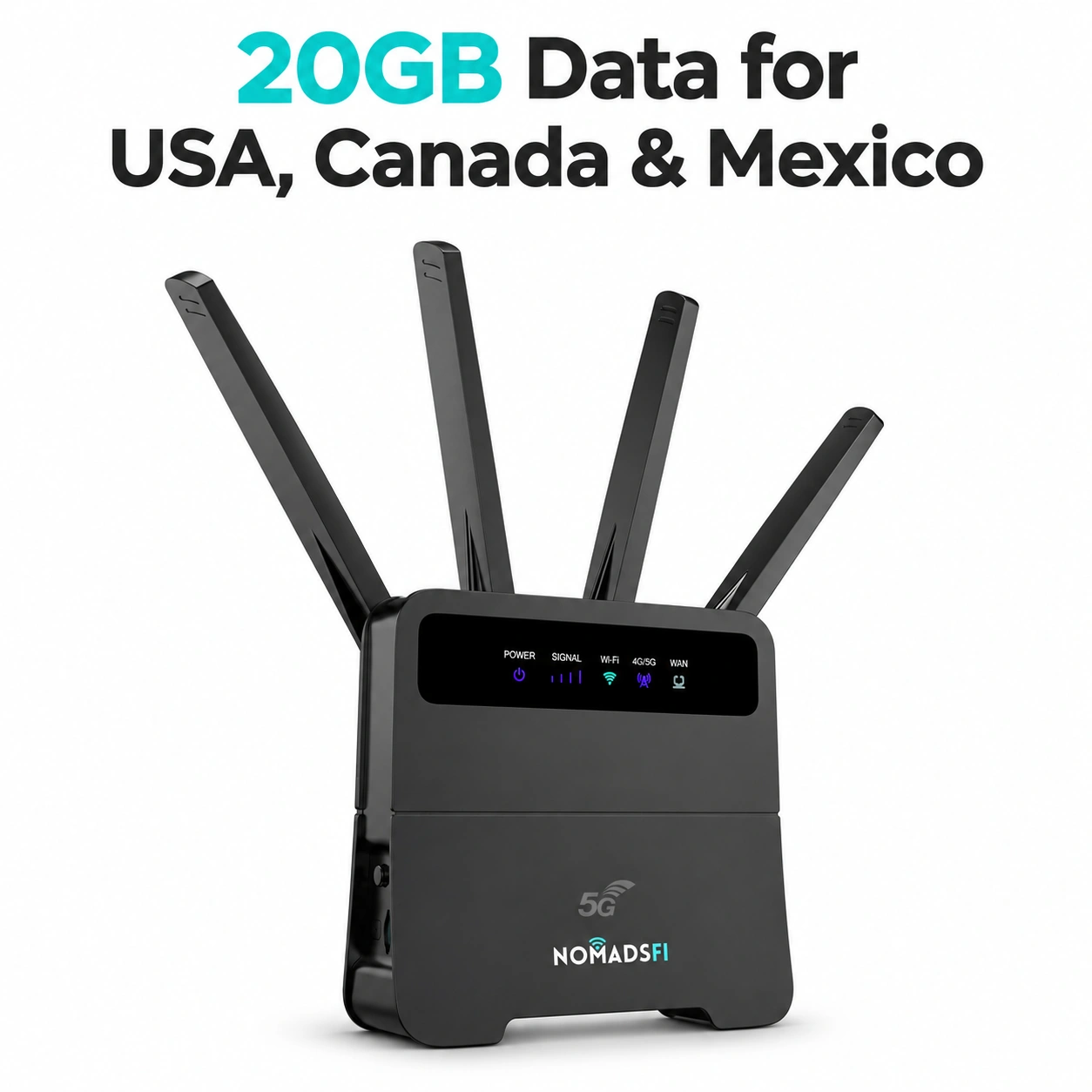
NomadsFi 5G Router
A 5G option to evaluate for a shared counting station or supervisor work area. Confirm eligible service and test reception inside the warehouse before choosing a plan.
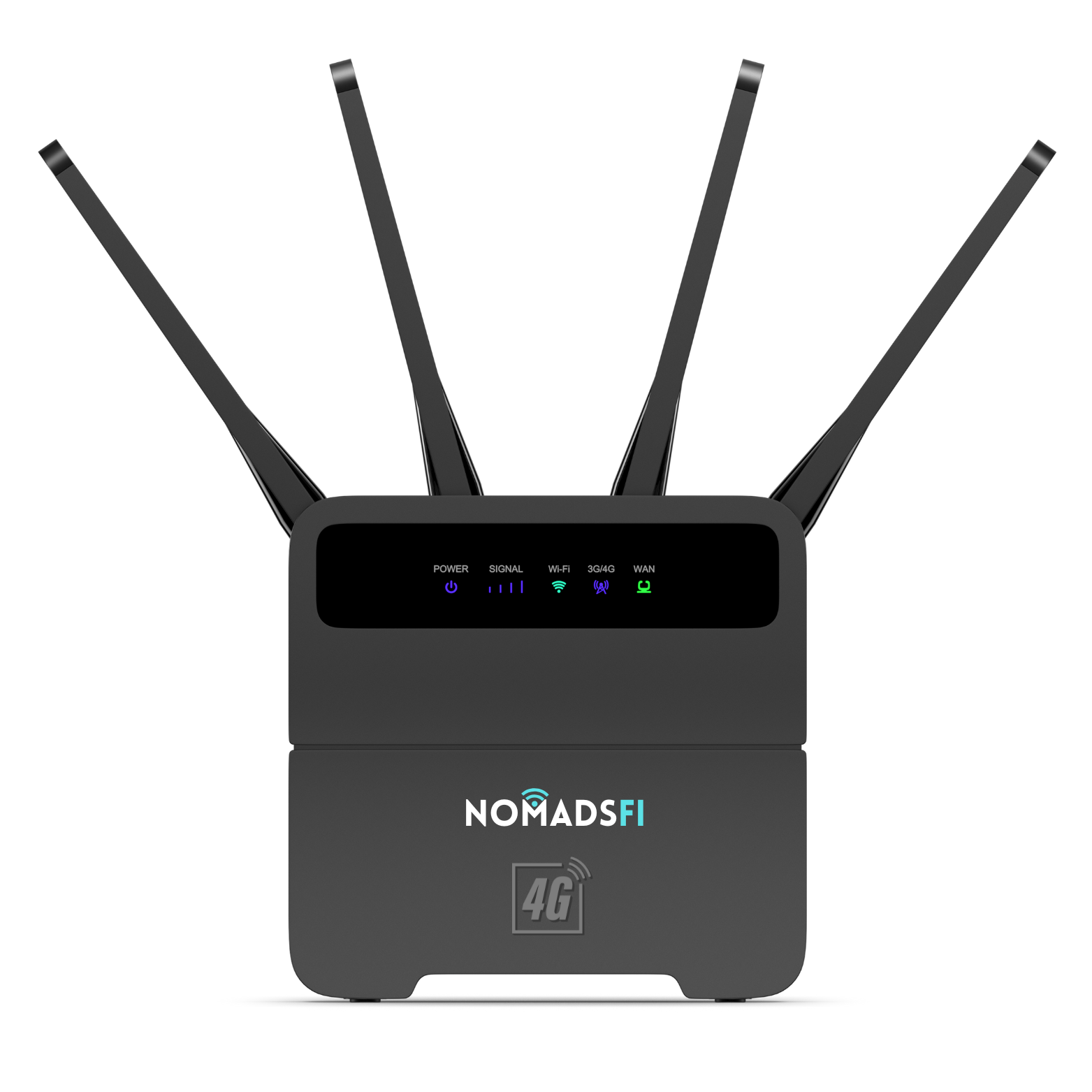
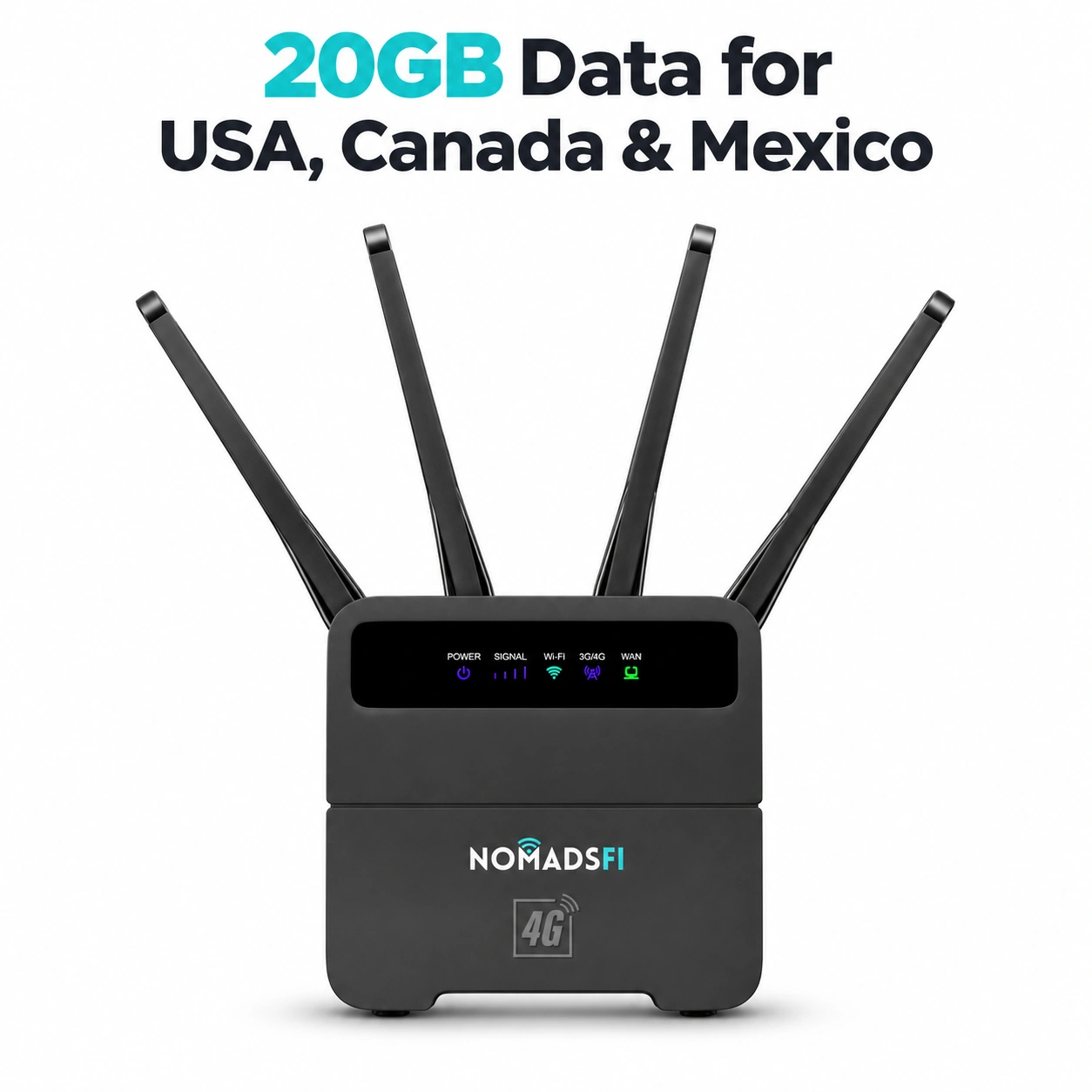
NomadsFi 4G LTE Router
A 4G LTE option to evaluate for scanner uploads, reporting access or a separate backup connection. Validate application traffic, simultaneous devices and recovery behavior in a site pilot.
A 4G or 5G cellular connection is the router's route to the internet. The scanners still need a usable local WiFi connection. Compare both products against the same site test, and request a separate quote: the anonymized case's device count and pricing are not specifications for these models. Product images are from the official NomadsFi pages.
Where warehouse inventory WiFi is useful
A scheduled physical inventory
Temporary counting staff may arrive with equipment that has never joined the warehouse network. Arrange approved credentials, access permissions and an end-to-end test before the count window. A separate cellular kit can provide another connection option when venue access is unavailable, subject to the site's IT approval.
Cycle counting WiFi during normal operations
Cycle counting checks selected inventory on a recurring schedule. In Microsoft's Dynamics 365 cycle-counting workflow, workers enter results on a mobile device and differences can go to a review step. That is a useful example of why a completed scan and an approved inventory adjustment are separate events. It is not a claim that a particular router has been certified for Dynamics 365.
Plan cycle counting WiFi around the zones workers actually visit. Before a shift, count one test item, confirm its location and quantity in the warehouse management system (WMS), then check whether a supervisor can review it. Follow your own software's workflow if it differs from this example.
Supervisors coordinating several zones
Reporting access can help a supervisor see which records have reached the platform and decide where to investigate an exception. Confirm the last synchronization time before treating a quiet dashboard as evidence that an operator has stopped working. A recount decision should follow the inventory procedure, not a missing upload alone.
Temporary and overflow facilities
A short-term count may not justify installing a new fixed connection solely for that assignment. A tested cellular connection can be considered for the counting kit. It still needs suitable power, usable signal and enough local WiFi reach; moving the router into a building does not establish coverage throughout it.
Global inventory counting WiFi across multiple warehouses
A counting team may finish one assignment and ship the kit to a warehouse in another country. Global inventory counting WiFi needs a handover process that travels with the equipment. Reusing the same credentials and packing list does not confirm that the next site's mobile networks or service plan will work.
Build a destination list before shipping equipment. For each warehouse, record its address, count dates, device quantity, application requirements and support contact. Confirm regional hardware compatibility and service eligibility for the exact router. A general country list should not be treated as a reception test inside a specific building.
The supplied case material describes CloudSIM service as a way to reduce individual SIM management. In a shared WiFi arrangement, a compatible scanner does not need its own cellular SIM for that connection. The router still needs active service, and operations still needs to manage plans, allowances and equipment assignments.
Customizable SSIDs and passwords can help prepare a repeatable kit. Use approved, appropriately scoped credentials rather than one permanent shared password across every customer and warehouse. Agree how credentials and retained records will be handled when equipment changes assignments.
Use the NomadsFi coverage page as a starting point, then ask the business connectivity team to confirm the proposed destinations and hardware. The 150+ country and 300+ carrier figures on the case material are not a promise that every plan includes every network.
Warehouse WiFi coverage is different from internet access
A device count and a floor-coverage plan answer different questions. Thirty-one scanners standing near a router do not establish that the same devices can work reliably across multiple aisles, loading bays and stockrooms.
Plan a walk test at working height with representative scanners and stocked shelves. Check the local WiFi link and cellular uplink separately. Metal shelving, building materials, inventory placement and neighboring wireless networks can affect results. Test with the team moving and uploading, not only with one idle device beside the router.
Cisco's access point deployment guide describes site surveys for checking radio propagation and client connections. It also recommends testing nearby access points together under heavy load to look for interference. Those are useful planning principles for warehouse WiFi; the guide's hardware features belong to Cisco equipment and should not be assumed for a NomadsFi router.
For a permanent large facility, existing managed access points may remain the appropriate way to distribute WiFi. A cellular service can be evaluated as an internet uplink or fallback if the gateway and network design support it. Confirm interfaces and routing; do not assume the case router can replace a managed warehouse network or integrate with any firewall.
For a temporary count, consider smaller tested zones or an approved connection to existing infrastructure. Ask who owns troubleshooting at each boundary: scanner, access point, router, internet service and inventory application. That contact list is useful when a night-shift team needs help quickly.
Warehouse backup internet: what happens when broadband fails?
Warehouse backup internet needs an agreed switch-over procedure. If the primary broadband connection fails halfway through a count, who switches the network, and how do operators know it is safe to resume uploads? Cellular backup internet can provide another route, subject to reception, power and a working service plan. Include the inventory application's login and VPN requirements in the test.
Automatic failover requires compatible network equipment and configuration. A spare hotspot on a shelf may instead require a manual switch. The case material does not establish that the router automatically takes over an existing warehouse connection, so verify that capability separately.
- Agree on an approved test window with site IT.
- Make the primary uplink unavailable in the controlled test and observe how the backup is selected.
- Submit a test count and confirm it reaches the correct inventory system.
- Check login sessions, VPN access and application recovery after the connection changes.
- Restore the primary service and reconcile the test records.
Write down the recovery time you actually observe. A network change may interrupt sessions, and uploads may need retrying. Ensure the counting app's local queue and duplicate-handling behavior are understood before relying on recovery during a live count.
A cellular link also needs power. Consider how the scanner network, gateway and other required equipment will operate during a power interruption. A second internet provider does not by itself remove every shared failure point. NomadsFi can help scope the cellular service; site IT needs to validate the complete fallback design.
Compare connectivity options for the next count
| Option | Useful situation | Main preparation |
|---|---|---|
| Existing warehouse WiFi | An approved network already covers the working area. | Test scanner access, required services and reporting before arrival. |
| Dedicated cellular counting kit | Temporary teams or changing sites need their own approved connection. | Check cellular reception, local WiFi range, simultaneous devices and plan eligibility. |
| Cellular service per scanner | Compatible scanners need independent connectivity while separated. | Manage individual service and device compatibility; compare fleet costs. |
| Fixed network plus backup internet | The warehouse wants a fallback for its primary connection. | Validate gateway compatibility, failover, power and application recovery. |
Keep a working managed warehouse network in place unless the site assessment gives you a reason to change it. A separate cellular kit is worth evaluating for visiting teams, overflow facilities or a fallback connection. Each use needs its own access and support arrangements.
When inventory scanner connectivity fails, what should you check?
Start with one affected scanner and a known test record. The following checks are a troubleshooting starting point, not a diagnosis of every possible fault.
| What the operator sees | First check | Before resuming the count |
|---|---|---|
| Scanner will not join WiFi | Check the approved SSID, password and scanner settings with site IT. | Connect the device and submit a test record. |
| WiFi is connected, but uploads wait | Check the router's internet connection, then application availability and login status. | Confirm the queued record reached the destination system. |
| Uploads fail only in one aisle | Repeat the test at the same shelf with the same scanner and record the location. | Have IT verify coverage and any movement between access points. |
| A record appears twice after recovery | Follow the application's reconciliation procedure; avoid blindly resending the count. | Resolve the duplicate with the inventory supervisor before closing the task. |
Turn the case into a measurable pilot
Use the five-cent data-cost example as a question for the supplier, not the budget for your next count. Ask what usage and contract terms produced that figure. A current quote needs to cover hardware or rental, activation, service minimums, included data, top-ups and regional eligibility. Confirm the currency and billing period in writing.
Compare equivalent assignments. Dividing a shared plan fee by the number of scanners may be useful, provided you also account for supervisor devices and other traffic. Background updates, photos and additional apps can change data consumption; do not assume barcode traffic is the entire bill.
For a practical pilot, select a representative warehouse and use the intended scanner models. Agree on acceptance criteria before testing:
- All participating scanners can connect using the approved settings.
- Test item, quantity and location records arrive correctly in the destination system.
- The full expected team can upload during a representative count.
- Coverage problems and pending uploads are visible to support staff.
- Interrupted uploads recover without unexplained lost or duplicated records.
- The team can complete the agreed backup procedure and return to normal service.
Keep a test log with the zone, scanner model, connected-device count, time submitted and time acknowledged by the WMS. Record failed uploads, recovery actions and the final record total. Agree on acceptable delay and recovery time with operations before the test; there is no single threshold that suits every count. This gives the purchasing team something more useful than a speed-test screenshot.
Measure any reduction in recounts or labor during the pilot. Barcode quality, counting procedures and application validation still affect the result, even when the connection works well.
For help preparing the hardware and service questions, start with the NomadsFi Help Center and data-plan guide. Enterprise scanner deployments need an explicit business quote rather than an assumption that a consumer travel package has the same terms.
Frequently asked questions
What is warehouse inventory WiFi?
It is the local wireless connection used by compatible counting devices to reach inventory services. Internet access may come from fixed broadband or a cellular router. The inventory application, rather than WiFi itself, records and validates the count.
Can barcode scanners connect through a cellular router?
Compatible WiFi scanners can share a cellular router connection. Verify the scanner WiFi settings, application access and router service. Test an item end to end, including confirmation in the supervisor reporting view.
How many scanners does this case describe?
The supplied case material states a maximum of 31 scanners. Confirm the exact hardware and firmware limit, other connected devices and simultaneous-load performance for a new deployment. It is not a whole-warehouse coverage guarantee.
Do warehouse barcode scanners need a SIM card or a 5G radio?
A compatible scanner using WiFi through a cellular router does not need its own active SIM or 5G radio for that connection. The router handles the cellular uplink. Check the scanner WiFi settings and application access separately from the router data plan.
Can one setup support global inventory counting WiFi?
A repeatable kit can be evaluated for multiple destinations, but each assignment needs a compatible device, eligible plan and site test. The case material lists 150+ countries and 300+ carriers; those figures do not establish availability under every package or inside every warehouse.
Is the five-cent-per-scanner price available today?
The case material describes data cost as low as five cents per scanner per month. It does not establish a current generally available price or specify all commercial terms. Ask for an itemized quote, including currency, minimums, allowance and hardware costs.
Will a single router cover a large warehouse?
Not necessarily. Scanner capacity and WiFi coverage are different. Check stocked aisles, working heights and building layout. A large facility may need managed access points, multiple zones or another approved network design.
Can NomadsFi provide warehouse backup internet?
An eligible NomadsFi cellular connection can be evaluated as a backup link for a warehouse. Automatic failover depends on the gateway, interfaces and configuration; it is not established by this case. Test power, authentication and upload recovery before relying on the backup during a count.
Does better connectivity guarantee inventory accuracy?
No. Connectivity can support timely record transfer and reporting, but counting methods, scanner input and software controls determine the data being sent. Validate both the records and their synchronization state.
What should we send NomadsFi for a warehouse WiFi proposal?
Provide warehouse locations and countries, count dates, scanner models and quantities, the inventory software, expected data use and whether the connection is primary or backup. Include site IT requirements and any need for automatic failover.
Sources and case scope
NomadsFi publishes this guide and sells the routers shown. The customer case is anonymized; its date, full contract terms and measured outcomes were not supplied. GS1 US, Microsoft and Cisco are cited for specific data and network-planning concepts, not as customer references, product endorsements or verification of the case figures. The pilot checklist is a proposed evaluation method, not a report of completed testing.
- GS1 US: EPCIS and supply-chain event data
- Microsoft Learn: Cycle counting in Dynamics 365
- Cisco: CW9174 access point deployment guide
- NomadsFi 5G Router official product page
- NomadsFi 4G LTE Router official product page
- NomadsFi business connectivity
- NomadsFi coverage information
Plan warehouse inventory connectivity with NomadsFi
Tell us where your team will count, which scanners it uses and whether you need a temporary primary connection or backup internet. Ask the business team to confirm suitable hardware and service, then agree on a representative site pilot before a wider rollout.