





WiFi for tour bus operators starts with a service decision: who needs to connect, what they need to do, and which routes must support it. A tour guide checking bookings creates a different workload from a coach full of passengers watching video. Define that workload before choosing equipment or advertising onboard internet.
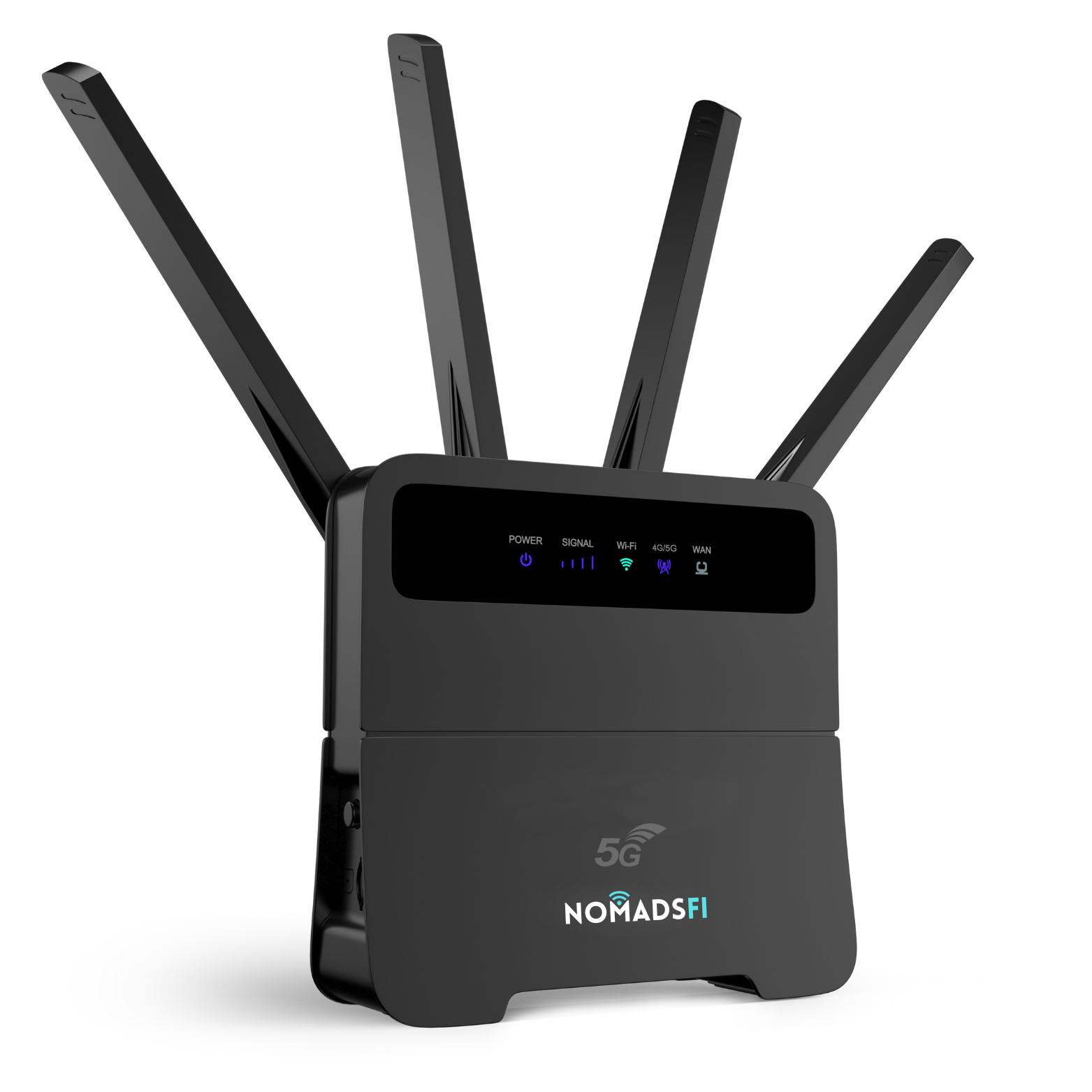
Use one vehicle to evaluate capacity, power and complete journeys. The NomadsFi 5G Router is a candidate to discuss for a controlled connectivity trial. Vehicle installation requirements and passenger performance need validation before a fleet rollout.
Size passenger WiFi for buses by active demand
Record passenger seats, expected devices per passenger and staff equipment separately. Then estimate how many devices will be active at the same time. A phone connected to WiFi while its owner looks out the window places different demands on the connection from a laptop uploading files.
The current NomadsFi model comparison lists up to 32 connections for both the LTE and 5G Routers. The 5G Router's product-page specification image also states up to 32 simultaneous connections. Treat this as a published connection ceiling. It does not establish acceptable video quality, cabin coverage or bandwidth for 32 busy passengers.
For a planning example, suppose 24 devices each need an average of 2 Mbps during a busy interval. Their combined demand is 48 Mbps before protocol overhead and other traffic. These are illustrative assumptions, not measured NomadsFi results or a recommended service threshold. Replace them with your actual applications and pilot measurements.
Compare the equipment around the route
Separate the cellular or satellite link to the internet from the WiFi connection inside the vehicle. Test both in the proposed installation.
| Option | Potential pilot fit | Deployment checks |
|---|---|---|
| Portable hotspot | A small group or a limited staff task | Exact client limit, charging, placement and performance at the required seats |
| Powered cellular router | A trial with a defined passenger workload and approved power supply | Exact model, usable cellular service, cabin WiFi reach, heat and restart behavior |
| Dedicated vehicle gateway with access points | A project with larger passenger loads or specific installation and management requirements | Installer design, supported power and environment, access-point placement and demonstrated software functions |
| Satellite equipment approved for mobile use | A route where satellite service is worth testing alongside cellular | Eligible hardware, plan and location, suitable mounting, sky visibility, power and passenger WiFi distribution |
GL.iNet's public-transport project example treats passenger demand and the vehicle environment as separate engineering requirements. That third-party example concerns GL.iNet equipment and its partner. A NomadsFi proposal needs its own installation review and test evidence.
For an initial cellular comparison, review the NomadsFi LTE Router alongside the 5G model. Test candidates on the same route and workload; a technology label alone cannot establish the better result.
What multi-network access and two routers can change
Access to supported partner networks can provide another connectivity option where one network is weak. The available networks still depend on the device, plan and location. Congestion or a stretch without usable cellular service can interrupt the trip's connection. Begin with the coverage page, then test inside the actual bus.
If you propose two routers, make device allocation part of the trial. Decide which passengers join each router, count connected and active clients on each, and test their proposed positions. Check both data plans and repeat the workload with both devices operating.
Two independent routers do not automatically form one larger WiFi network, combine their internet speeds or move a passenger's session between them. Any required load balancing or automatic switching needs a compatible design and a demonstration. Test how staff restore service when one connection is lost, and what passengers must do to reconnect.
Check vehicle power and the installed environment
Have the vehicle installer review the exact equipment's input requirements and a suitable supply. Confirm how it behaves when the ignition changes state, during stops and after a restart. Agree whether WiFi should remain available while parked and how that affects the vehicle's power arrangement.
Inspect secure mounting, cable routing and ventilation in the intended position. Obtain documented operating limits for the supplied model, then measure conditions during the trial, including after the parked vehicle has warmed up. Home or RV marketing alone does not establish suitability for every commercial vehicle installation.
Include any required vehicle approvals, vibration tolerance or external antenna interfaces in the supplier review. Record supported capabilities before selecting accessories or promising a permanent installation.
Test a shuttle bus WiFi solution on complete routes
A depot speed test covers one place and one moment. Run the proposed service across a full outbound and return journey, with representative traffic and equipment in its intended position. Use a staff observer to log tests while the driver concentrates on driving.
| Test condition | What to record | Decision it supports |
|---|---|---|
| Depot and departure | Startup time, successful device joins and the first required online task | Whether staff can prepare the service before boarding |
| Complete route, both directions | Task completions, interrupted sessions, location and duration of each interruption | Which segments meet the proposed service expectations |
| Expected busy hours | Active client count, application response and upload/download behavior | Whether concurrent demand is acceptable at relevant times |
| Front, middle and rear seats | WiFi joins and the same application tasks at each location | Whether placement or a different access-point design needs testing |
| Stops and planned restarts | Power behavior, recovery time and any manual steps | Whether the operating procedure is practical for staff |
| End of trip | Data consumed, equipment condition and unresolved failures | What to change before repeating the pilot |
Set acceptance criteria before testing. Specify the applications that must work, expected simultaneous users, acceptable interruption and recovery limits, and who signs off. Choose limits that match the service you intend to offer. Keep failures and successful runs in the record, then repeat affected segments after changing hardware, placement or plans.
Compare cellular and Starlink using the same trip
Starlink's official mobile-use guidance identifies supported hardware and plans for use in authorized locations. Satellite service can therefore be a moving-vehicle option when the selected combination is eligible. Check that combination for the route under consideration.
The Starlink Mini Mobility Mount guide, page 3, explains the need for a suitable mounting location and clear sky view. Include those conditions in an installation assessment. Cellular equipment depends on usable terrestrial service along the route.
Compare completed passenger tasks, interruptions, recovery, mounting work, power needs and the cost of each proposed configuration. Use the same journey, comparable client loads and repeated runs. Those observations can support a choice for that operation; they do not establish that cellular or satellite is universally faster.
Budget data and assign operating responsibilities
Build a coach fleet internet budget from measured trip consumption. In the earlier hypothetical example, 48 Mbps sustained for two hours transfers about 43.2 GB, using decimal units and excluding overhead. Actual passengers will have changing activity, so include staff traffic, uploads and software updates in the budget.
Review the current data-plan options against the measured workload. Confirm passenger sharing and commercial-use conditions, speed or traffic policies, allowance, renewal terms and destinations with the supplier. Evaluate device and installation costs separately from service charges.
Assign responsibility for WiFi credentials, administrator access, updates and routine checks. If passengers and staff require separate access, have the proposed equipment demonstrate the necessary isolation. NIST SP 800-153 discusses WLAN security across design, deployment, maintenance and monitoring. It provides a planning reference, not a certification of this equipment or installation.
Frequently asked questions
How should WiFi for tour bus operators be sized?
Start with expected connected devices, simultaneous applications and the proposed service level. Then test that workload at different seats and along the full route. Seat count and a router's client limit alone do not establish capacity.
How many devices can the NomadsFi 5G Router connect?
NomadsFi's public model comparison and product specification image list up to 32 simultaneous connections. Confirm the exact supplied model before ordering. Usable passenger performance still depends on the workload and route.
Will two routers serve a full coach?
That needs a pilot. Allocate clients to each router, verify both plans and test concurrent traffic throughout the cabin. Two routers do not automatically provide one combined network, uninterrupted switching or a guaranteed passenger experience.
Does multi-network access prevent outages?
No. Supported networks offer connection options, but usable coverage, congestion, power and application recovery still affect service. Record interruptions and recovery on the actual operating routes.
Can Starlink work while the bus is moving?
Eligible Starlink hardware and plans support mobile use in authorized locations. Check the selected combination, installation, sky visibility and power, then compare it with cellular using the same route and workload.
Request a one-bus pilot assessment
Use the NomadsFi business partner portal to discuss a technical trial. Share the vehicle model, route map, operating hours, passenger and device counts, required applications, available power and expected service level. Ask the team and your installer to review the proposed configuration, then agree on a limited pilot and its acceptance record before committing to more vehicles.