

A student comes back from a sailing session convinced the second tack was better. The coach remembers a hesitation. A track, a short video and a note about the wind could help both understand what happened, provided those records are available when the class sits down to review them.
For a sailing school, Boat WiFi can help move compatible devices' training files and messages between the boat, instructors and the shore team. A NomadsFi hotspot supplies a shared internet connection where supported cellular service is available. The instruments and apps still do the recording, analysis and coaching work.
This guide develops the practical lessons of our Sailing Boat Story into a proposed workflow for schools and sailing teams: collect useful records, protect them during signal gaps, and bring them into the next debrief.
This is a NomadsFi-authored guide, not an independent network test. The published customer case is identified below; the school examples are illustrative. Actual performance may vary with coverage, congestion, placement, equipment and plan. Neither uninterrupted connectivity nor improved competition results is guaranteed.
What the Sailing Boat Story tells us
The published UK sailing team case describes seven PocketFi devices used during a six-week training period. Its customer feedback includes the statement, The NomadsFi units worked exactly as required
.
That is useful evidence of a real sailing deployment. It is not a controlled uptime study, a measured offshore coverage boundary or proof of better race results. The case does not establish that a particular sailing school used this setup.
Schools can use the example to frame a small trial of their own. Which devices need a connection? Where on the course will they operate? Will the coach need information during a drill, or will a complete record after the session be sufficient? Those answers should determine the equipment and data plan.
Watch Simon explain the sailing team experience
In this customer video on NomadsFi's YouTube channel, Simon introduces himself as the British Sailing Team's meteorologist. He describes six weeks using NomadsFi 5G routers during summer training in Los Angeles in preparation for the 2028 Olympics.
We found them to be really reliable
- 00:01: Training context. Simon identifies his role, the location and the six-week period.
- 00:16: Connection and support. He reports reliable service, good signal offshore and helpful local support from Evan Zhang.
- 00:26: Future use. He expresses hope of using the devices again next year and for the Games.
This is one customer's reported experience, not an independent performance test. Simon gives no measured offshore range or uptime figure. His future plans do not establish an Olympic sponsorship or confirmed supply contract. The school workflows below are recommendations, not deployments documented by this video.
Who needs Sailing Boat WiFi at a school?
A school connection serves different jobs at different times. Before departure, staff may distribute a lesson plan. During training, an instructor may need a small status update. Back ashore, students may need video and tracks for a longer review. Keeping these tasks separate makes the system easier to manage.
| User | Connected devices and tasks | Useful outcome to check |
|---|---|---|
| Students | Tablets or phones for approved lesson materials, personal session records and post-sail video. | Can each student find the correct drill and explain one change for the next session? |
| Instructors and coaches | A tablet or laptop receiving compatible training records and sending notes. | Are the relevant files ready when the debrief begins? |
| School operations | Staff devices for schedules, equipment records and routine coordination. | Can staff support a session without depending on one instructor's personal phone? |
| Sailing teams | Compatible recorders, coach devices and shore-side analysis tools. | Can records from different boats be matched to the same exercise? |
Beginner lessons should keep attention on the boat and instructor. Let the instructor manage the connection and review screens ashore. More advanced crews can use a richer data workflow without turning every lesson into a live-streaming exercise.
A router for the school's shore-side workspace
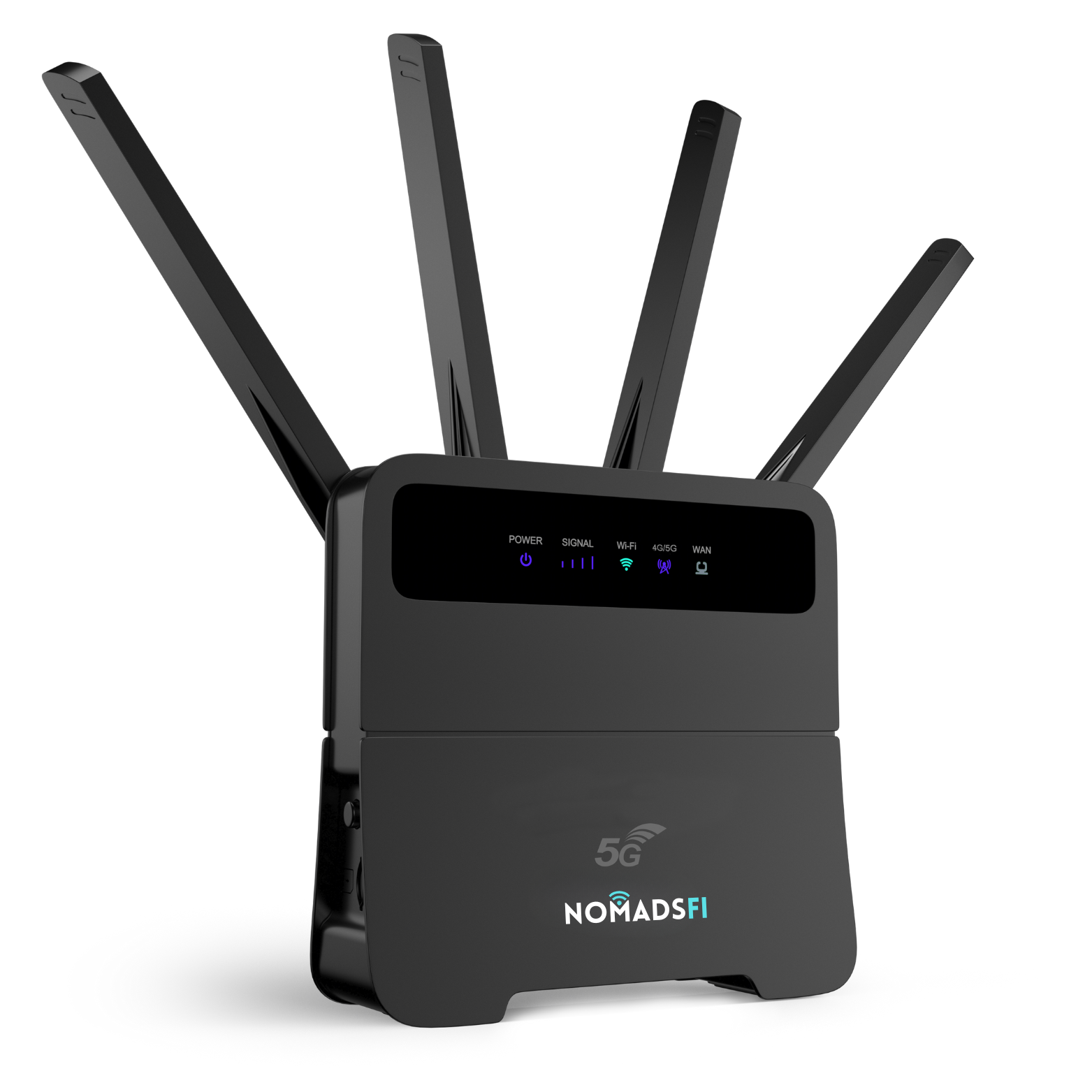
For a classroom or shore-side debrief station, schools can also evaluate the NomadsFi 5G Router pictured below. Check local coverage, power requirements, device compatibility and the selected plan before choosing it for shared training-file access.
How the connection fits into a training system
There are two separate links: WiFi between nearby devices and the hotspot, and the cellular connection from the hotspot to internet services. A device can remain connected to local WiFi while the internet link is unavailable.
- Record: a compatible instrument, camera or app captures the session.
- Transfer locally: a supported recorder or gateway makes those records available to the tablet or computer.
- Upload: the connected app sends files through the hotspot when an internet link is usable.
- Review: the coach opens the records in the chosen training software.
NomadsFi does not turn every marine instrument into an internet-connected device. Some systems require a separate gateway, subscription or export step. Check interfaces, app support and whether a device can record locally while uploading. Do not assume direct NMEA compatibility or automatic cloud integration.
For examples of the equipment categories involved, Airmar's 300WX documentation describes wind and motion-related measurements, while Sailmon's comparison lists model-dependent connectivity and analysis features. These are reference examples, not hardware confirmed in the NomadsFi customer case or a claim of certified integration.
Which data details help teachers and students?
Choose the question first. For a tacking lesson, the coach might want to compare the approach, the maneuver and the return to a settled course. A full afternoon of unlabelled video is harder to use than a few clearly identified drills.
- Assign a session ID, boat ID and exercise name before launching.
- Keep timestamps aligned across the recorder, camera and coach notes.
- Record the source of each measurement, including whether a speed value means speed over ground or speed through the water.
- Add context such as changing wind, a crew change or an interrupted exercise.
- Mark incomplete records so they are not treated as complete runs.
A better connection can make the recorded details available sooner. It does not improve sensor accuracy, recover a measurement that was never recorded or make two different weather conditions directly comparable. Instrument setup and careful interpretation remain essential.
Students also need a manageable view of the evidence. For a beginner, one clip and one coach annotation may be enough. An experienced crew may want synchronized tracks and video from several runs. Use the smallest set that answers the coaching question.
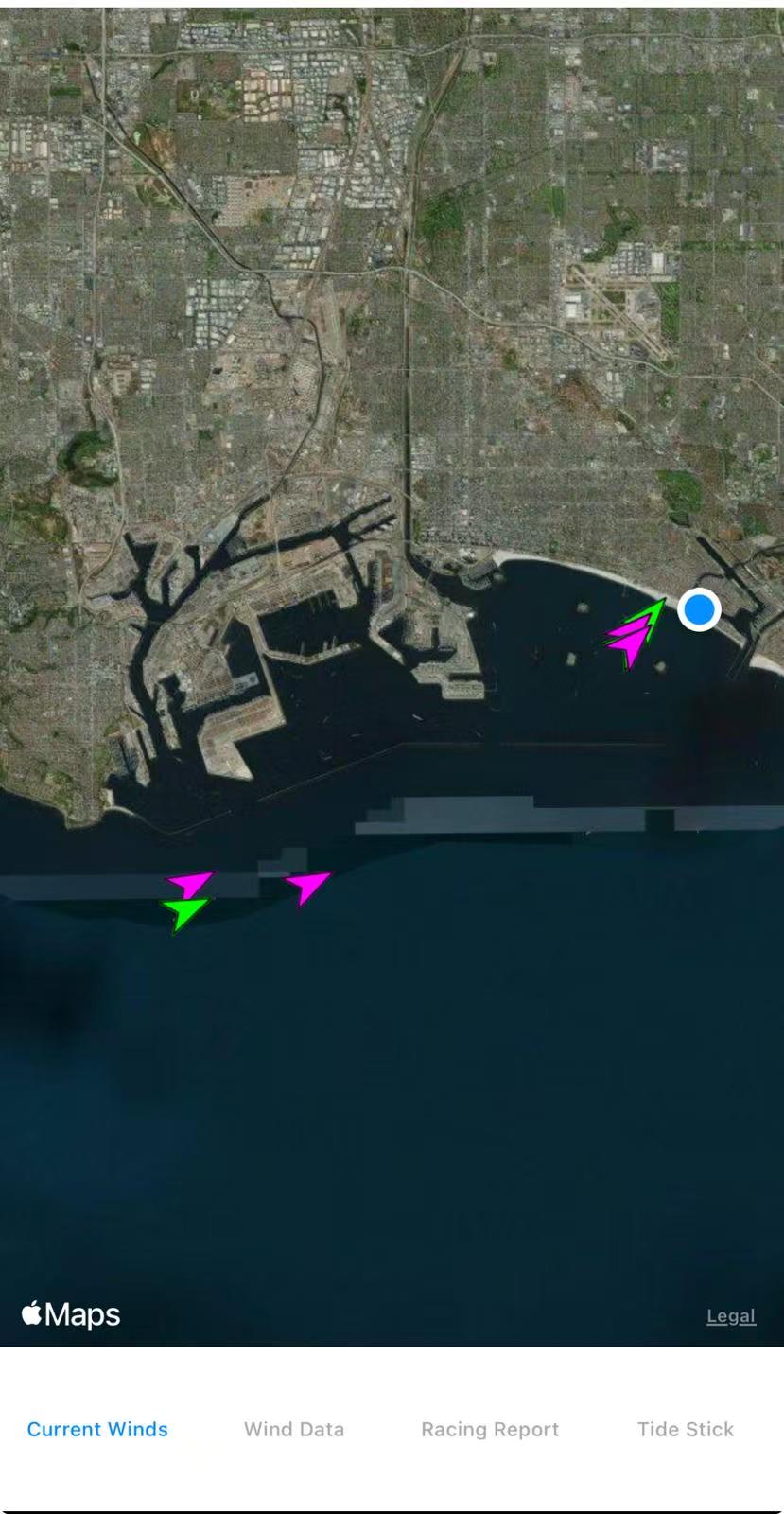
The screenshot shows a spatial view alongside tabs for Current Winds, Wind Data, Racing Report and Tide Stick. In a school debrief, an instructor could use a view like this to orient students before reviewing the corresponding session records. The screenshot alone does not establish what each colored marker represents, the accuracy of the measurements or when the data last updated. Check those details in the recording system.
From a sailing session to a useful debrief
Consider a proposed tacking exercise, not a measured result from the customer case. The instructor chooses two runs to compare and records a short note immediately after each. The recording app stores the files locally; when the connection is available, it uploads them to the team's private workspace.
At the debrief, the student first describes what they felt. The coach then opens the corresponding track and clip. Together they identify where the sequence differed, check whether wind or traffic changed, and agree on one adjustment to test next time.
For the next lesson, use the same recording and naming routine. Review the adjustment against the student's previous attempt, allowing for conditions. This gives a school a repeatable way to discuss progress without presenting a single speed number as a complete assessment of sailing ability.
Measure the workflow as well: how long did the coach spend finding files, how many drills had usable records, and were students able to explain the feedback? These are sensible pilot questions. A connection can support the process; teaching quality, practice and conditions still shape the outcome.
Build for signal gaps, not a promise of zero disconnections
For Sailing Team WiFi, reliability includes what happens when transmission stops. The PocketFi product information describes network-switching functionality. Access to supported networks can provide alternatives in some locations, but it does not establish uninterrupted handoffs or service everywhere on a course.
Ask the recording-software supplier to demonstrate local storage, queued uploads and retry behavior. These are application requirements for the proposed school workflow, not features this article promises are built into the hotspot.
- Keep an original local copy until the destination confirms the complete upload.
- Show the time of the last received update so an old position is not mistaken for a current one.
- Retry interrupted transfers without creating confusing duplicate session records.
- Test recovery after a connection gap before depending on it during a lesson.
If the chosen app cannot do this, plan an explicit after-sail export and upload. Complete delayed records may be more useful for coaching than a live feed with unexplained gaps. A continuous local recording and a continuous internet connection are different things.
Plan Sailing Team WiFi boat by boat
One hotspot on a coach boat should not be planned as a WiFi network for an entire moving fleet. Each connected device must remain within usable WiFi range. Boats separating during an exercise can lose that local link even when cellular coverage is available.
For a pilot, map each boat's recorder, connection and upload destination. A school might test one training boat and the coach boat first, then add other boats after checking costs and workflow. Some boats may only need local recording followed by a dockside upload.
NomadsFi's setup guidance recommends keeping equipment dry and ventilated and avoiding obstructions such as metal. Confirm the exact device's environmental suitability and protective mounting before marine use; do not assume waterproofing. Secure equipment without blocking access, visibility or normal sailing tasks.
Assign responsibility for charging, checking the active plan and confirming recorder storage. A missed battery check can leave a bigger hole in the session than a short internet interruption.
Offshore WiFi: where cellular Boat WiFi reaches its limit
Offshore WiFi describes a need, not a single network technology. A portable cellular hotspot needs usable supported mobile service. A WiFi symbol on a tablet does not prove that the boat still has internet access.
Review NomadsFi destination coverage, then test the intended training area. A country listing cannot establish reception at every point offshore. Do not plan around an assumed number of nautical miles: shoreline terrain, network infrastructure, placement and conditions all matter.
For passages beyond usable cellular service, evaluate a separate marine-suitable satellite service and its equipment, operating-area and plan requirements. Preserve offline records regardless of the chosen internet service. This article does not claim that PocketFi provides satellite connectivity.
Keep the school's established maritime safety communications and emergency procedures independent of this training-data setup. Consumer internet connectivity is supplementary; it should not be treated as the sole safety link.
A practical school pilot and data budget
Run a small trial on a normal training route before equipping the whole fleet. Write down what success means in operational terms, then compare the trial with the school's current routine.
| Check | What to observe |
|---|---|
| Course coverage | Test uploads around the intended course, not only beside the marina office. |
| File completeness | Match local recordings with received files after the session; investigate missing segments. |
| Recovery | Confirm interrupted uploads resume through the selected app or follow the manual export procedure. |
| Debrief readiness | Measure the time between returning ashore and having the selected records ready. |
| Practical operation | Record battery use, data use, staff setup time and any mounting or handling problems. |
Budget large video transfers separately from notes and smaller records. As a hypothetical calculation, an upload averaging 2 megabits per second for one hour transfers about 0.9 GB before overhead: 2 x 3,600 / 8 / 1,000. This is arithmetic for planning, not a PocketFi speed claim or a measured sailing-session requirement.
Measure actual usage with the school's chosen settings. Schedule large uploads after training when appropriate, and check storage requirements for the retained originals. Compare the relevant region, allowance and validity using the NomadsFi plan guide.
Keep student records private and coaching appropriate
Training files can contain faces, names, locations and personal feedback. A sensible school workflow uses private workspaces, limits access to the people who need it, and sets a retention schedule. Agree how student footage will be used before recording or sharing it.
Keep a training archive separate from public marketing material. If the school wants to publish a clip, follow its consent and safeguarding process rather than assuming that participation in a lesson authorizes publication.
Competitive teams should also check the applicable event rules before using live external information or remote coaching. A useful training feature is not automatically permitted during a race. Decide who operates the equipment so it does not distract the crew.
Frequently asked questions
What is Sailing Boat WiFi?
Sailing Boat WiFi is a local wireless connection for devices on or near a boat. Internet access requires an upstream service, such as supported cellular coverage for a portable hotspot or a separate satellite system. Local WiFi can remain connected even when internet access is unavailable.
How can NomadsFi help a sailing school?
A NomadsFi hotspot can share a supported cellular connection with compatible tablets, phones and laptops. Schools can use that link to transfer training records, access lesson resources and coordinate staff. Recording, synchronization and analysis depend on the chosen instruments and apps.
Will the connection stay online without interruptions?
No cellular setup can promise that for every course and condition. Test the intended area and keep local records. Choose software with verified upload recovery, or use a planned after-sail transfer, so a signal gap does not have to mean losing a recorded session.
Can one hotspot provide Sailing Team WiFi for the entire fleet?
Do not assume so. Devices must remain within usable WiFi range of their hotspot. For separated boats, plan connectivity or local recording per boat and test the coach-boat workflow before expanding to the fleet.
Does NomadsFi collect wind, boat speed or position data?
The hotspot supplies connectivity; compatible instruments and apps collect those measurements. Verify the logger, gateway and software interfaces separately. Internet access does not improve sensor accuracy or automatically make every marine instrument compatible.
Can better connectivity help students improve their sailing?
It can support timely access to records and more specific coach feedback. Students can review an exercise and test an agreed adjustment in the next lesson. Improved grades or race results are not guaranteed, and no measured learning improvement is reported in this guide.
Does PocketFi provide Offshore WiFi beyond cellular coverage?
PocketFi needs usable supported cellular service. It does not provide satellite connectivity. For routes beyond that service, assess a separate suitable marine satellite solution and keep the school's safety communications independent of the training-data connection.
Is a portable hotspot waterproof enough for a sailing boat?
Do not assume a waterproof rating. Check the exact model specifications and confirm suitable protection, ventilation, secure mounting and power arrangements before use. Keep equipment dry and test its placement in the intended environment.
How much data does a sailing school need?
Measure a pilot using the actual recording and upload settings. Video can dominate the budget; notes and smaller training records have different requirements. Include all connected devices and scheduled uploads, then select a suitable regional plan and allowance.
Was the Sailing Boat Story a sailing-school performance study?
No. The published NomadsFi case describes a UK sailing team deployment. The school workflows in this guide are proposed applications of that experience, not evidence of a separate school rollout, measured uptime or proven academic and sporting results.
Plan a connected training session with NomadsFi
Start with one boat, one coaching question and a clear plan for keeping the original records. Check PocketFi compatibility and coverage, then use the pilot to decide whether the connection makes the school's debrief easier to run.
Explore PocketFi 5GCompare data plans
For setup questions, visit the NomadsFi Help Center. Read the full Sailing Boat Story for the original customer context.