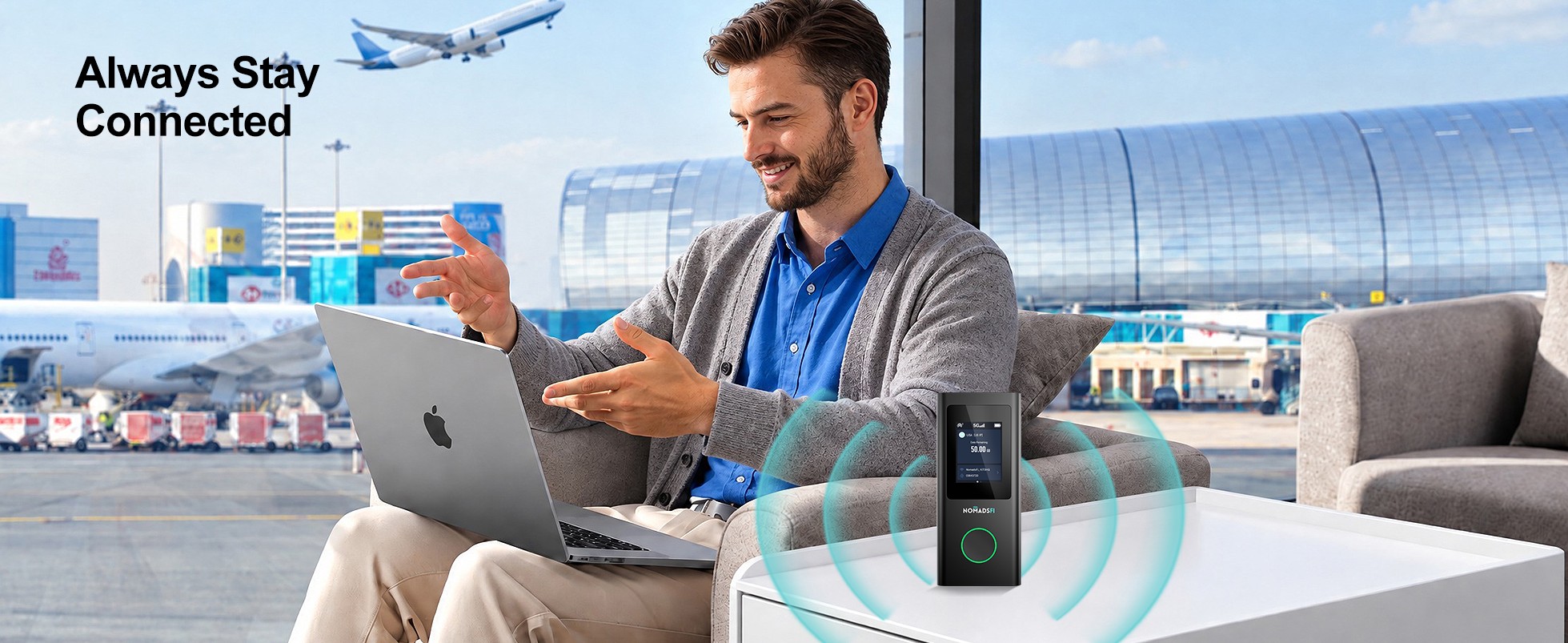
Your team has landed, and the next customer meeting is a few hours away. Someone needs the latest presentation on their laptop. Others are catching up on messages. For IT, the job is to have a connection ready before anyone asks for help. We recommend considering PocketFi 5G with NomadsFi’s global data packages and centralized management platform for teams that need shared business travel internet. Stay connected, stay productive.
Business travel connectivity at a glance
An employee might work from an airport lounge in the morning and a hotel that evening, with a customer visit in between. A company-provided mobile hotspot lets them use the same connection setup at each stop. IT can then plan how to issue and support those devices across the team.
| Decision | Individual roaming or travel eSIM | NomadsFi enterprise WiFi |
|---|---|---|
| Employee setup | Phone and plan compatibility; tethering rules vary. | A dedicated hotspot with a suitable destination plan. |
| Multiple devices | Sharing depends on phone tethering and allowance. | PocketFi 5G supports up to 16 WiFi connections. |
| IT coordination | Depends on the carrier's business tools and company process. | A centralized management platform is offered through the business program. |
| Budget | Roaming passes, data limits and reimbursements. | Hardware and agreed data service, compared against equivalent travel usage. |
Our recommendation: NomadsFi for a shared enterprise travel setup
We recommend NomadsFi as a starting point for international companies that want shared employee WiFi and a centralized management platform. Compare the full package: the hotspot, data for your destinations and the tools IT will use to manage the service.
NomadsFi wrote this guide using its product and enterprise service information. It is not an independent performance ranking. We have focused on shared connectivity, how IT deploys the service and the total cost of a trip.
Explore the enterprise offering →
1. Global connectivity for international business travel
Useful for employees whose itineraries cross several markets.
Stay connected, stay productive. For a traveling team, that means being able to open the latest presentation before a meeting, respond to a customer and access work tools during the journey. NomadsFi's global business travel offering advertises connectivity in 200+ countries and a centralized management platform.
Using the same hotspot model across a team gives IT fewer setups to explain. The data package still needs to match each itinerary, including any transit stop where staff will work. Check the destination and selected plan together: local service determines what connection is available when they arrive.
Multi-network access can offer alternatives where supported carriers have different coverage. It does not create service where no supported cellular signal exists, and it does not mean several networks are combined to multiply speed. Check destination coverage before assigning a device.
What we like
Staff can become familiar with one hotspot setup before their next trip.
What to consider
Confirm each destination and package; a global footprint does not establish reception at every venue.
2. PocketFi 5G: shared WiFi for the mobile workspace
Useful for a traveler or small team carrying several work devices.
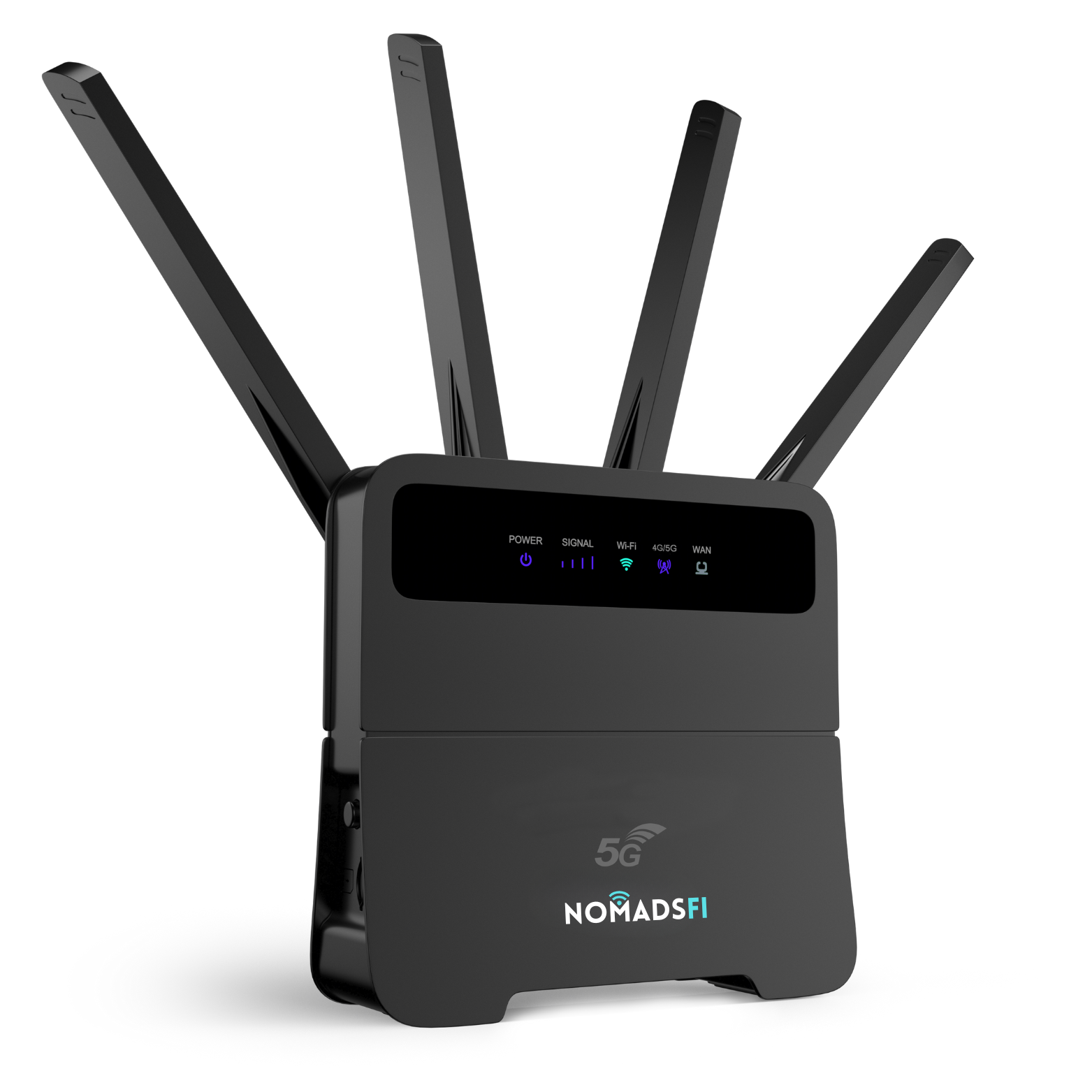
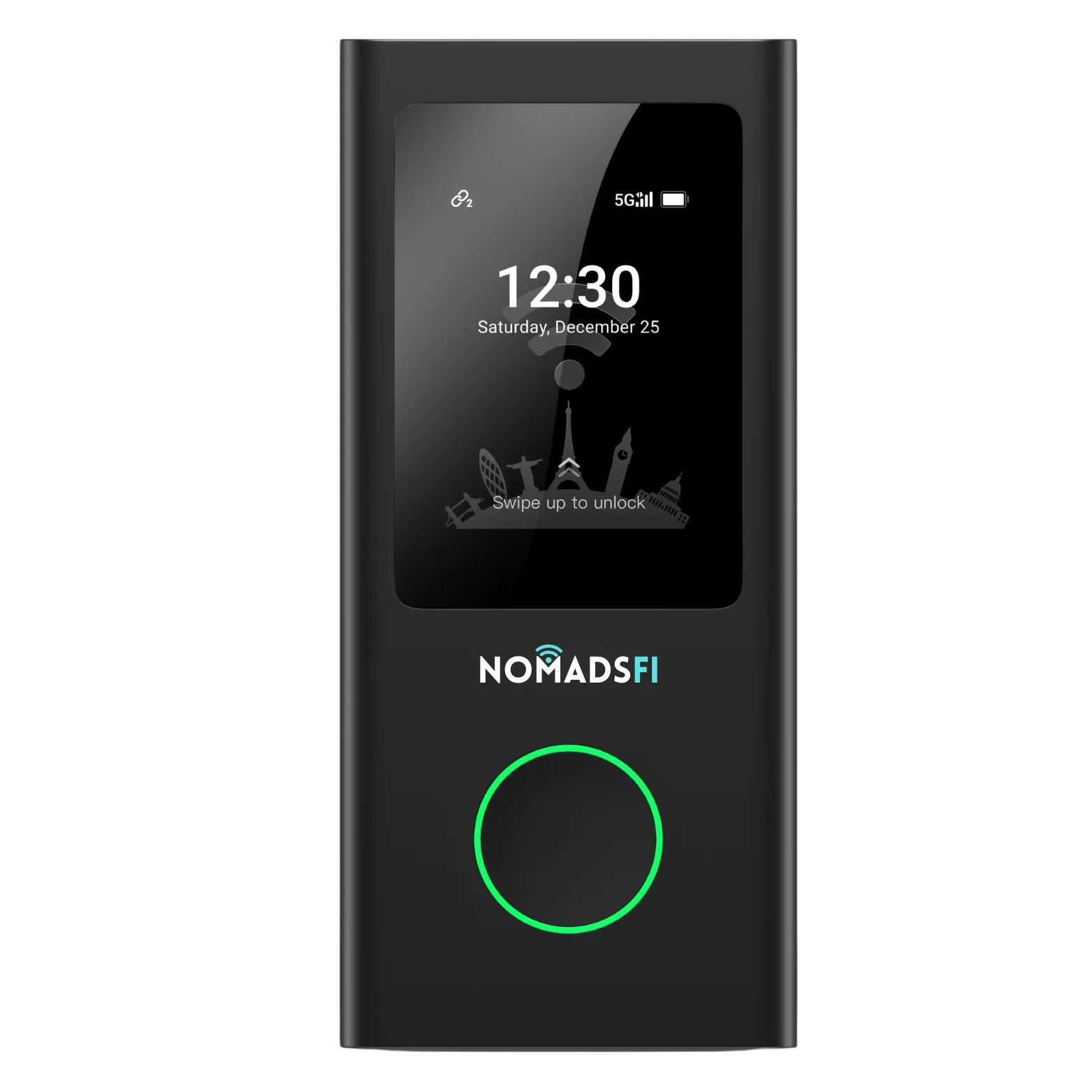
A laptop might handle the presentation while a phone keeps messages within reach. Some teams also carry tablets for customer demonstrations. PocketFi 5G supports up to 16 connected devices, so compatible phones, tablets and computers can share its internet connection.
One traveling employee can connect several work devices, or a small sales team can share the hotspot while preparing for a meeting. Everyone draws from the same bandwidth and data allowance. Size the package for the work they expect to do.
What we like
Up to 16 WiFi connections support phones, tablets and laptops through one hotspot.
What to consider
All devices share bandwidth and data; match the package to the workload.
3. Centralized SaaS management for enterprise IT
Useful for organizations coordinating connectivity across a growing traveling workforce.
Individual data purchases may be manageable for a few travelers. When more staff travel abroad, IT needs a consistent way to arrange their connections. NomadsFi includes a centralized management platform in its enterprise offering.
If you plan to deploy a thousand hotspots or more, ask the enterprise team to show how the SaaS portal would handle your fleet. Confirm the account capacity and available controls; an enterprise account may work differently from an individual account.
- How are devices identified and assigned to employees or teams?
- Who purchases, activates and changes the data plans?
- What usage information, reports and billing arrangements are available?
- Who can administer the account, and where do support requests go?
Use the demonstration to answer these questions before committing to a rollout. The individual portal features have not been independently verified for this guide.
A managed hotspot fleet also needs a handover process. Decide how corporate travelers collect their devices, which international data plans they receive and who helps if they cannot connect.
What we like
IT has a central platform to include in its travel connectivity process.
What to consider
Confirm the account capacity, specific controls and support arrangements in your proposal.
4. Comparing the 70% saving with your roaming bill
Useful for procurement teams comparing travel connectivity with existing roaming expenses.
NomadsFi states that its global enterprise network solution can help businesses reduce travel communication costs by 70%. To compare it with your current arrangement, use the same destinations, trip lengths and data requirements. Your actual saving will depend on the roaming contract you have today and the NomadsFi package you choose.
For example, if comparable roaming currently costs $10,000, a 70% reduction requires an all-in alternative of $3,000. This is illustrative arithmetic, not a NomadsFi quote. Include the hardware allocation, data packages, top-ups and applicable charges when checking the saving for your organization.
When work devices use the NomadsFi hotspot, that traffic uses the purchased data package instead of the employee's home-carrier roaming data. There is no additional home-carrier data-roaming charge for that traffic. The NomadsFi package still costs money, and calls, texts or separately enabled phone roaming remain subject to the employee's carrier terms.
Compare available plans and request enterprise pricing based on your travel pattern. Sharing one connection across several devices may reduce the need for separate data purchases, but the saving depends on the existing contracts and actual usage.
What we like
NomadsFi states that its enterprise solution can reduce travel communication costs by 70%.
What to consider
The applicable comparison depends on destinations, usage and contract terms; data packages and hardware still have a cost.
Business travel internet, meeting WiFi and remote work
International sales and customer visits
Before staff leave for a series of international customer visits, issue the hotspot with a package for their itinerary. Have them connect their work devices and test the applications they will need.
Trade shows and small traveling teams
A shared hotspot can provide another connection option when a team's venue internet is inconvenient or unsuitable. Confirm reception at the location and plan for presentations, uploads and video meetings; crowded venues can affect cellular performance too.
Project teams and temporary assignments
For staff moving between offices or working at a temporary site, a portable connection can help while permanent internet is being arranged. Agree on a data budget and support contact for the assignment, based on the work they will be doing.
WiFi for business meetings and video calls
For a business meeting, test the connection with the work you will actually do. Join a call, share the presentation and open any cloud documents you need. Try the portable hotspot from the meeting location before the customer arrives. Microsoft's Teams network guidance explains that bandwidth needs vary with meeting activity and video settings. Check upload performance as well as download speed before a customer call.
Portable WiFi for remote work abroad
If you are working abroad between meetings, allow enough data for the full working day. File uploads and calls with colleagues in other time zones all use that allowance. A mobile hotspot connects your laptop where compatible service is available; test access to company systems before you leave.
Backup internet for business travelers
A hotspot can offer an alternative when hotel WiFi is unavailable or inconvenient. For occasional use, a phone hotspot may already meet the need: Apple explains how Personal Hotspot shares an iPhone or iPad's cellular connection. Compare the tethering allowance with a dedicated hotspot package. For critical work, check whether the backup uses a different underlying network; two devices alone do not establish independent service.
How to choose and deploy an international company IT roaming solution
1. Map the travel pattern
List destinations, frequency, team size and typical tasks. Identify the trips where the current arrangement causes expense or extra setup work.
2. Define IT requirements
A hotspot supplies internet access; it does not replace company security controls. Confirm compatibility with approved VPN or access tools, managed devices and business applications. Specify portal requirements and request a demonstration.
3. Run a representative pilot
Test with employees whose trips reflect normal business travel. Record connection experience, data consumption, support requests and the total cost. Compare the results with the same work under the previous arrangement.
4. Standardize and expand
Create a simple device handover, activation and return process. Use the NomadsFi setup guide to prepare staff, and expand once the agreed connectivity and budget requirements are met.
Keep phone service and shared WiFi working together
Employees can keep their normal phone service and use a NomadsFi hotspot for approved work devices. Check phone settings and carrier terms to avoid unintended roaming charges. For a closer comparison of phone-based travel data and shared WiFi, read Travel eSIM vs Portable WiFi: Is NomadsFi Right for You?
An employee who only checks messages has different needs from a team working online all day. Account for both when setting your business travel policy.
For a hardware shortlist, see our 2026 portable WiFi hotspot comparison, covering PocketFi and alternative devices for different travel needs.
Frequently asked questions
What is an enterprise mobile hotspot solution?
It combines portable hotspot hardware, suitable data plans and a management approach for employees who need internet away from the office. NomadsFi offers global travel connectivity and a centralized management platform through its business program.
Does NomadsFi provide coverage in 200+ countries?
NomadsFi advertises global connectivity in 200+ countries. Confirm each destination and the selected device and plan before travel. This does not mean every plan includes every country or every location has reception.
How many devices can connect to PocketFi 5G?
PocketFi 5G supports up to 16 connected WiFi devices. Connected devices share the available connection and data allowance; the limit is not a guarantee of 16 simultaneous high-quality video calls.
Can enterprise IT manage a large hotspot deployment?
NomadsFi offers a centralized management platform. For a deployment of a thousand devices or more, ask the enterprise team to confirm capacity, available controls, reporting and commercial terms for your account.
Does zero roaming surcharge mean free international internet?
No. A NomadsFi data package still has a cost. Using it instead of home-carrier data roaming can avoid those roaming data charges, but phone calls, texts or separately enabled roaming may still incur carrier fees.
Can a business reduce travel connectivity costs by 70%?
NomadsFi states that its global enterprise connectivity solution can reduce travel communication costs by 70%. Actual savings depend on the existing roaming arrangement, destinations, usage and selected package. Compare equivalent usage and destinations, including hardware and plan costs, against the current roaming bill.
Does a hotspot replace our corporate VPN or device management?
No. A hotspot provides internet access. Continue using your approved VPN or access controls, endpoint management and company security policies, and test compatibility before rollout.
How should a company start with NomadsFi?
Prepare your destinations, traveler count, expected data use and IT requirements. Contact the NomadsFi business team, agree on a pilot and compare its connectivity, support and total cost with your existing approach.
Sources and scope
Prepared October 5, 2026 using NomadsFi's business program, PocketFi 5G product information and the linked coverage, plan and setup resources. Enterprise capacity and commercial terms should be confirmed in a proposal. The cost example is illustrative.
Build a connectivity plan for your global team
Bring your travel itinerary, expected device count and IT requirements to the NomadsFi business team. Ask for a proposal you can test on a few representative trips and compare with your current costs.