
The boat is tied up. Your laptop sees the marina WiFi, but the meeting freezes as soon as you turn the camera on. Later, at a nearby anchorage, the WiFi network disappears altogether. For someone living aboard a yacht or working from a sailboat, those two situations need different fixes.
Yacht internet usually comes from marina WiFi, a cellular connection or satellite service. The WiFi network inside the boat shares that connection with your devices. Choosing the right source matters more than buying something with a bigger speed number on the box.
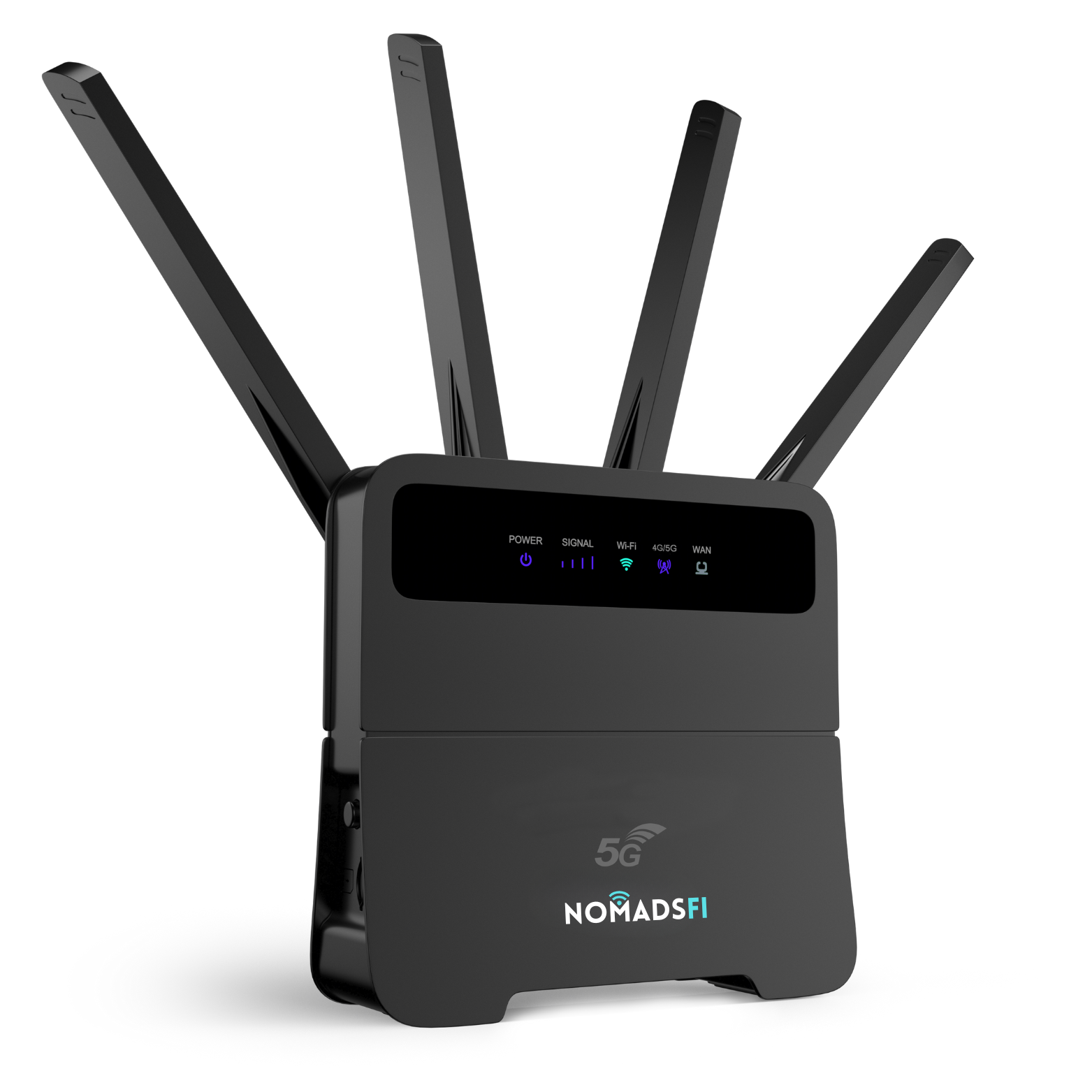
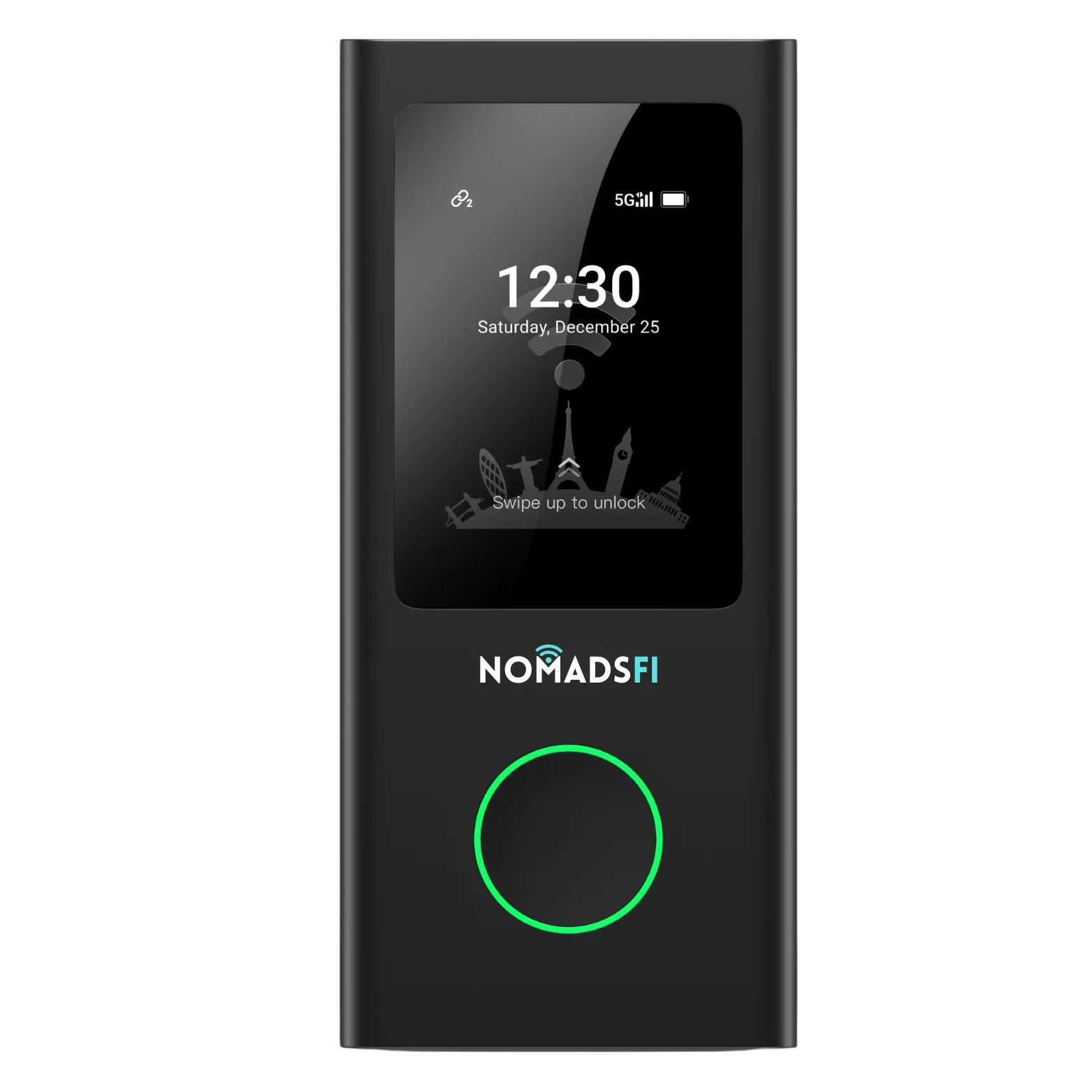
Our pick for a portable connection at the dock and in coastal areas with usable cellular service is NomadsFi PocketFi 5G. It gives compatible devices a shared mobile hotspot connection and offers supported carrier selection. For ocean passages or a large permanent onboard network, compare satellite service and installed marine equipment as well.
Written by NomadsFi Team. This is our product guide, using linked manufacturer specifications and a documented sailing customer testimonial. It includes no independent speed test or guaranteed offshore range. Product and plan details checked on October 5, 2026.
What is the best internet for a yacht?
Start with where the boat spends its time. A liveaboard in a slip, a weekend coastal cruiser and a boat crossing the ocean can all need WiFi, but they do not need the same internet service.
| Your routine | A sensible starting point | What to verify |
|---|---|---|
| Living aboard in a marina | NomadsFi cellular service where available, with marina WiFi as another option | Service at the actual berth, evening congestion, data use and power |
| Coastal sailing and nearby anchorages | A portable 5G hotspot or installed cellular router | Coverage along the route, including stops outside the harbor |
| An occasional weekend aboard | Your existing phone hotspot or a portable NomadsFi device | Tethering allowance, shared devices and whether the phone stays aboard |
| A larger yacht with several cabins | An installed router with suitable access points | Cabin coverage, guest separation, antenna installation and service plans |
| Ocean passages beyond cellular reception | Suitable satellite hardware and an eligible maritime plan | Ocean and in-motion permissions, installation, power and data charges |
There is no fixed distance from shore where a cellular hotspot will always work. Test the marina and intended coastal route. A country on a provider's coverage list does not establish reception at every anchorage.
Marina WiFi alternatives for liveaboards
If the dockside connection cannot support your work, marina WiFi alternatives include a supported cellular plan or suitable satellite service. Check the connection in two places: between your boat and the marina access point, and between the marina network and the internet. A weak link to the dock is different from a shared connection that becomes slow when other boats are online.
A marina WiFi booster or external receiver can help with reception from an access point. It cannot add internet capacity to a busy marina connection. Wave WiFi explains that its equipment connects to an existing public WiFi or cellular source and shares it onboard.
If the boat's WiFi signal looks strong but calls still fail, try a cellular connection at the same berth. If both struggle, test another location before buying more equipment. For liveaboard internet, run a trial during the hours you normally work, watch TV or call family.
Check any marina login, device limit and guest policy. A system that asks you to accept a web page each day may need attention after a restart, especially if you leave the boat unattended.
Mobile hotspot for boats: where NomadsFi fits near shore
A mobile hotspot for boats gives compatible devices a shared cellular connection where supported service is available. NomadsFi is a practical option when your boat stays within usable terrestrial cellular coverage and you want a connection you can take from the cabin to a support boat or ashore. Your laptop and tablet connect to its WiFi, while the hotspot connects to a supported mobile network.
More carrier options for changing locations
The PocketFi 5G product page describes NomadSwitch-AI automatic carrier selection. Supported U.S. service can offer AT&T, T-Mobile and Verizon options, depending on the device, plan and location. Confirm which networks your package permits before choosing it for boat internet.
That flexibility matters when your berth and next harbor have different reception. It provides another network option where one carrier performs poorly. If no supported carrier reaches the anchorage, changing carriers will not create a connection.
One connection for the devices you use aboard
The NomadsFi device overview lists support for up to 16 connected devices on PocketFi 5G. That can cover a small crew's phones and laptops alongside compatible WiFi devices. All connected devices share the available bandwidth, so plan around their combined usage. Confirm WiFi compatibility for cameras and other equipment.
Carrier selection is different from bonding several internet links and may interrupt an active session. Keep the portable hotspot dry and ventilated; it is not being presented as waterproof marine equipment. Test WiFi reception in the cabins where you will use it.
Our destination coverage guide is useful when planning trips between countries. Ask about the exact package for each stop; international terrestrial coverage is separate from ocean coverage.
NomadsFi vs Starlink, Peplink and marine routers
The useful comparison is what each system does on your boat. A portable hotspot, an installed router and a satellite terminal solve different parts of the connection problem. The table below compares product roles, rather than claiming measured speeds or a universal price winner.
| Option | Best fit | What it offers | What to budget or check |
|---|---|---|---|
| NomadsFi PocketFi 5G | Portable dockside and coastal use | Shared WiFi and supported carrier selection | Hardware and data; actual cellular reception; placement and power |
| Starlink for boats | Routes beyond terrestrial cellular coverage | Satellite internet with suitable equipment and service | Ocean and in-motion terms, mounting, power and data charges |
| Peplink MAX BR1 Pro 5G | An installed, managed boat network | 5G router, WiFi 6 and network management | Carrier service, antennas, installation and applicable licenses |
| Digital Yacht 5G Xtream | Owners planning a permanent marine installation | Cellular router, external antenna package and dual SIM slots | Region and carrier compatibility, SIM plans and cable installation |
| Wave WiFi MBR 550 | Managing several existing internet sources | Multi-source failover router with built-in LTE cellular capability | Activated SIM service and any separate WiFi receiver or satellite equipment |
| Marina WiFi or phone tethering | Trying an existing connection first | Access with equipment you may already have | Marina terms, phone tethering allowance and reception |
Starlink vs cellular: choosing yacht internet with NomadsFi
For owners comparing Starlink vs cellular, start with where the yacht spends its time. Test cellular service at your marina and along your coastal route; NomadsFi can provide that portable connection where supported service is usable. Starlink is worth evaluating for travel beyond usable cellular coverage. Its ocean-use guidance sets out eligible hardware and service requirements; check the current terms for your region and voyage.
A satellite terminal needs a suitable mounting location and power arrangement. Include those in the decision. Some boats use cellular at the dock and satellite for passages. Combining them into one managed network requires a compatible router and configuration; PocketFi alone is not being offered here as an automatic cellular-to-satellite failover system.
Peplink MAX BR1 Pro 5G: more control for an installed network
Peplink lists WiFi 6, VLAN support and management tools for the BR1 Pro 5G. Its product FAQ says the router has one 5G modem with two SIM slots, using one SIM at a time. It also specifies PrimeCare requirements for certain SpeedFusion features. Verify current licensing and the other internet links needed for your proposed setup.
Our recommendation is NomadsFi when portability and a shared coastal connection are your priorities. Compare an installed system when you need guest isolation, several access points or detailed network policies.
Digital Yacht 5G Xtream: an antenna installation to plan
Digital Yacht supplies external antennas and cables with 5G Xtream, and lists two SIM slots. It suits an owner prepared to install equipment and manage compatible service. Confirm the exact regional model and supported U.S. carriers. Its NMEA integration also needs the appropriate interface; do not assume every router directly reads boat instruments.
Wave WiFi MBR 550: managing the sources you already have
The MBR 550 is a multi-source failover router with LTE cellular capability and a SIM slot. It can manage connected receivers and third-party satellite equipment. It is useful when you are building an onboard network around several sources. Additional source equipment and active service are part of that setup. This named model is LTE, not a claim about all Wave WiFi products.
A real sailing connection: Simon and the British Sailing Team
For evidence from the water, watch Simon, the British Sailing Team's meteorologist. He says the team used NomadsFi 5G routers for six weeks during Los Angeles training for the 2028 Olympics. His feedback includes reliability, reception offshore and local support.
“We found them to be really reliable”
Our documented British Sailing Team internet case includes the readable transcript, project photos and source details. The original customer story records seven PocketFi devices. The project's connectivity supported the team's sailing and wind-data collection setup, including data and image uploads during training.

In additional project feedback shared with NomadsFi, the team described frequent signal loss with earlier hotspots and very few disconnections during this deployment. The team linked that improvement to more efficient training and more complete data. These are customer observations, not measured uptime statistics or a controlled comparison. They are separate from Simon's words in the video.
For yacht owners, the relevant point is that the service has been used for a working connection on coastal water, including uploads that matter to people ashore. That supports testing it for your own berth and nearby sailing area. It does not establish performance on another route or prove suitability for every full-time liveaboard.
Simon also says he hopes to use the equipment again next year and for the Games. His stated intention gives context to the team's satisfaction; it is not a confirmed supply contract.
Sailing boat internet: GPS, wind data and cameras
A hotspot supplies the internet link. Your instruments collect measurements. A GPS receiver can record position without internet, while a compatible app may need internet to upload that position to a remote account or share it with a coach.
Digital Yacht NavLink2 illustrates the distinction: it shares NMEA 2000 data locally over WiFi without requiring an internet connection. Getting those readings to someone ashore needs compatible software and an internet path as well.
For sailboat internet, list the actual devices and the job each performs. A wind sensor, chartplotter, WiFi camera and laptop may use different interfaces. Test the complete upload workflow before relying on it afloat. Joining the hotspot's WiFi does not prove that an instrument is sending data to the cloud.
If you want to check a yacht remotely from home, a compatible camera or monitoring gateway needs power, active internet service and its remote-access software. Switch off the router or let the plan expire and that internet path stops. Confirm alerts and reconnection behavior before leaving the boat.
How much data does liveaboard internet need?
For a household living aboard, plan around the busiest day. Work calls, TV streaming, photo backups and a camera uploading video all use the same allowance. A light-use package is a different purchase from a primary home connection.
| Continuous data rate | Approximate use per hour | Why this matters |
|---|---|---|
| 1Mbps | 0.45GB | Five hours would use about 2.25GB |
| 2Mbps | 0.9GB | Four hours a day for 20 days would use about 72GB |
| 5Mbps | 2.25GB | A continuous camera stream can consume a small package quickly |
These are calculations, not measured usage for a particular camera or meeting app. Actual rates vary. Record your devices' use for a few ordinary days and allow room for updates and retries.
The NomadsFi U.S. plan guide currently lists 5GB at $16 with AutoPay and 200GB at $79 with AutoPay. Check the billing period, renewal rules, device eligibility, speed terms and current checkout price. North America and global packages have separate terms. A 5GB package can be a starting point for light backup use; it is unlikely to suit a household streaming and working online daily.
Compare the full cost over your intended season: hardware, installation, service, extra data and any network-management subscriptions. For occasional trips, portability may avoid a permanent installation. For a full-time liveaboard, reliable power and enough data may justify an installed system. This guide does not claim a measured saving against a competitor.
Set up and test WiFi on your yacht
- Share the berth and proposed coastal stops with NomadsFi. Check supported service and the plan for each destination.
- Choose a dry, ventilated place for the hotspot and confirm its power requirements. Have a qualified installer handle any connection to the boat's DC system.
- Activate the package and connect the devices you actually use. Follow the NomadsFi setup guidance for the model.
- Test from the cabin and cockpit, including the busiest marina hours. Run a work call and a typical upload; do not rely only on a speed test.
- Repeat the trial at planned anchorages when practical. Save charts and other information you need for periods without internet.
- Set a strong WiFi password and keep devices updated. If you need a separate guest network, verify that capability on the chosen equipment.
- Check data consumption, power use and what happens after a restart. For remote monitoring, test access from a phone using a different internet connection.
On a large yacht, one hotspot may not reach every cabin. Add an appropriate onboard WiFi design rather than assuming a better cellular connection will fix local coverage. Keep required marine communications and safety equipment independent of the household internet connection.
Frequently asked questions
What is the best internet for a yacht in a marina?
Where supported cellular service works at your berth, NomadsFi PocketFi 5G is worth considering as a portable shared connection. Test marina WiFi too. For a large permanent onboard network, compare an installed router and access points. The best choice depends on your location, data use and installation needs.
Can I use NomadsFi for liveaboard internet?
Yes, where the compatible device and active plan have usable cellular coverage. Check your normal work and entertainment use, reception throughout the boat, and power requirements before making it your primary connection. A small data package is for light use, not a substitute for a large household allowance.
Does a mobile hotspot work on a sailing boat?
A mobile hotspot can share supported cellular internet with compatible WiFi devices at a covered marina or coastal location. Reception varies along a route. Protect the equipment from salt spray, moisture and heat, and test the locations you plan to use.
How far offshore will NomadsFi work?
There is no guaranteed offshore distance. Cellular service depends on the available network and conditions at the boat. Simon describes useful offshore reception in his Los Angeles training testimonial, but the video does not establish a measured range or coverage for other sailing routes.
Can NomadsFi use AT&T, T-Mobile and Verizon for boat internet?
Supported U.S. service can offer these carrier options, subject to the exact device, plan and local availability. Confirm the eligible networks before purchase. Carrier selection does not mean simultaneous bonding or a guarantee that an active call will continue through a switch.
Is NomadsFi an alternative to Starlink for boats?
It is an alternative to evaluate at marinas and near shore where cellular service is usable. For an ocean route beyond cellular reception, compare suitable satellite equipment and an eligible service plan. A boat may use both, with a compatible network design if managed failover is required.
Will a marina WiFi booster fix slow internet?
It may improve the link between your boat and a marina access point. It cannot add bandwidth to an overloaded marina internet connection. Diagnose reception and shared network capacity separately before buying equipment.
Can boat GPS and NMEA instruments connect through a hotspot?
Some compatible apps or gateways can use an internet link to upload collected data. GPS reception itself does not require internet. NMEA data shared over local WiFi also does not automatically reach the cloud. Verify the interfaces and software for your exact setup.
Can I monitor a yacht camera when I am away?
Yes, with a compatible camera or gateway, its remote-access service, power and a working internet connection. Check data use and test access from outside the boat network. Turning off the router or ending its service removes that internet path.
Can I just use my phone hotspot instead?
For occasional use, a phone hotspot may be enough when the provider and plan support tethering. A dedicated hotspot lets the shared connection stay aboard when the phone leaves. Compare allowances and test the connection before buying another device.
Choose a connection for the water you actually use
If you need yacht internet at the marina and on coastal trips, start with a coverage check for your berth and route. Tell us how many people use the boat, which devices need WiFi and whether the connection will support light browsing or everyday work and streaming.
Explore PocketFi 5GAsk about boat internet
Compare current data packages, check destination coverage, or read our portable WiFi hotspot buying guide for other travel uses.
Sources and further reading
Product facts above come from the linked manufacturers. Practical recommendations are NomadsFi's editorial advice; this guide does not include a comparative field test.
- NomadsFi PocketFi 5G and NomadSwitch-AI
- NomadsFi device overview: PocketFi 5G connected-device capacity
- NomadsFi data plans and renewal options
- NomadsFi destination coverage
- Simon, British Sailing Team meteorologist: video testimonial
- NomadsFi sailing team customer story
- Peplink MAX BR1 Pro 5G specifications
- Peplink MAX BR1 Pro 5G FAQ: modem and SpeedFusion requirements
- Peplink maritime network architecture
- Digital Yacht 5G Xtream
- Digital Yacht NavLink2: local NMEA data over WiFi
- Wave WiFi MBR 550
- Wave WiFi support: internet sources and onboard networking
- Starlink: ocean use and eligible service plans
- Apple: Personal Hotspot requirements and troubleshooting